You can manage your personal account preferences directly from the Account Settings page.
Accessing Account Settings
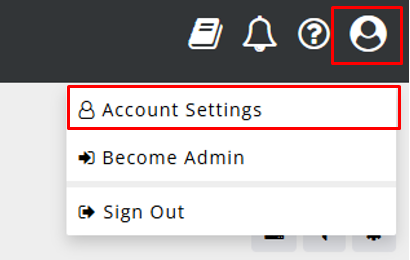
- Click your Account icon in the top-right corner of the platform.
- Select Account Settings from the dropdown menu.
Available Settings
Within Account Settings, you can view and manage the following:
Username
Your username is displayed in this section.
- Usernames are view-only and cannot be updated directly within Account Settings.
- If you need to update your username, please contact your company administrator, who can make this change for you.
Change Password
You can update your password at any time.
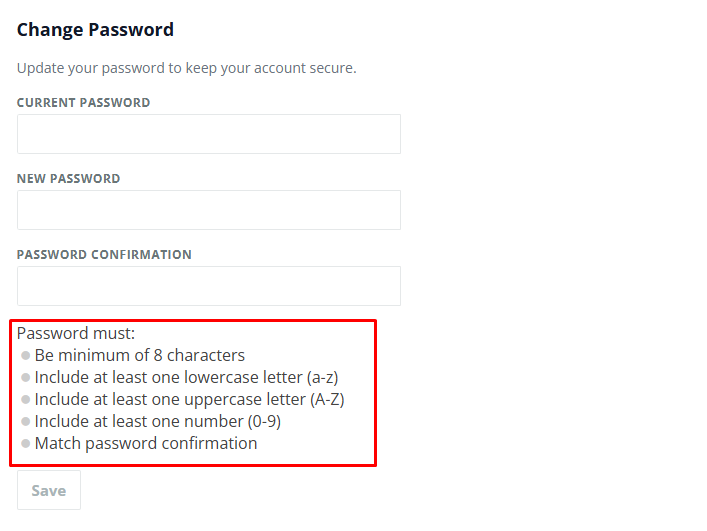
- Navigate to the Change Password section.
- Enter your current password.
- Enter and confirm your new password. Make sure your new password meets the password requirements.
- Save your changes.
For security best practices, we recommend using a strong, unique password.
Account Language
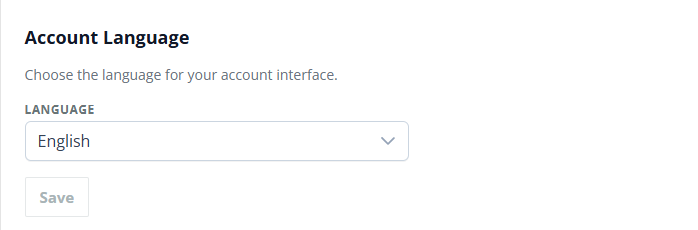
You can choose the language used across your account interface.
- Go to the Account Language section.
- Select your preferred language.
- Save your changes.
Currently supported languages:
- English
- Spanish
- Portuguese (Brazil and Portugal)