

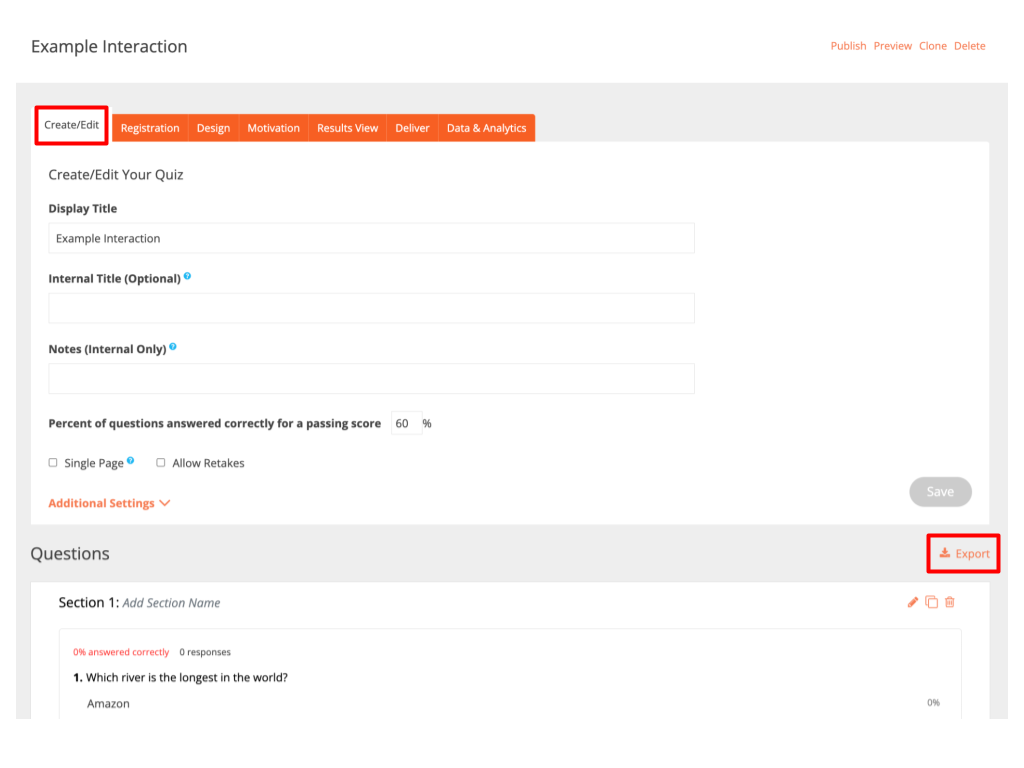
In the Edit tab, you can export interaction questions and their details for review, sharing, compliance purposes, or further analysis.
How to export
1. Open your interaction.
2. Go to the Edit tab and Click Export.
3. In the window that opens, choose the file type (PDF or CSV).
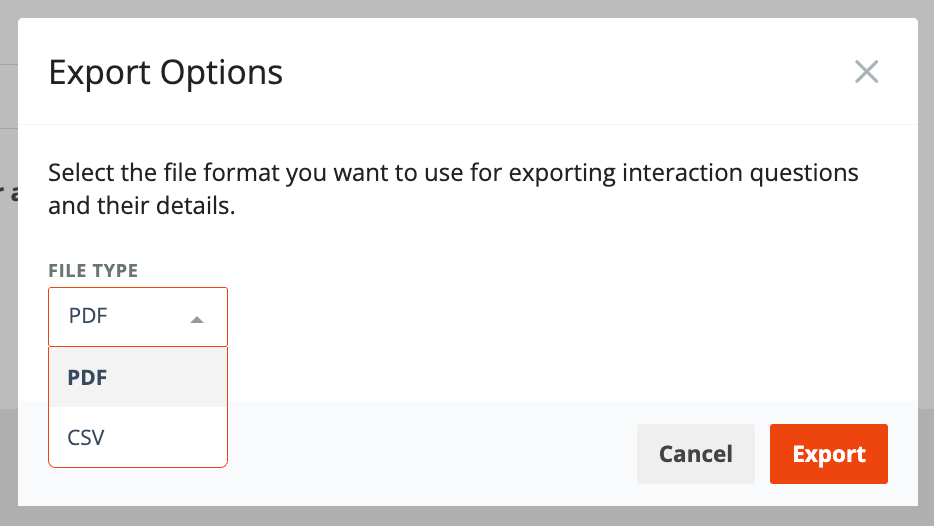
4. Click Export.
Export as PDF
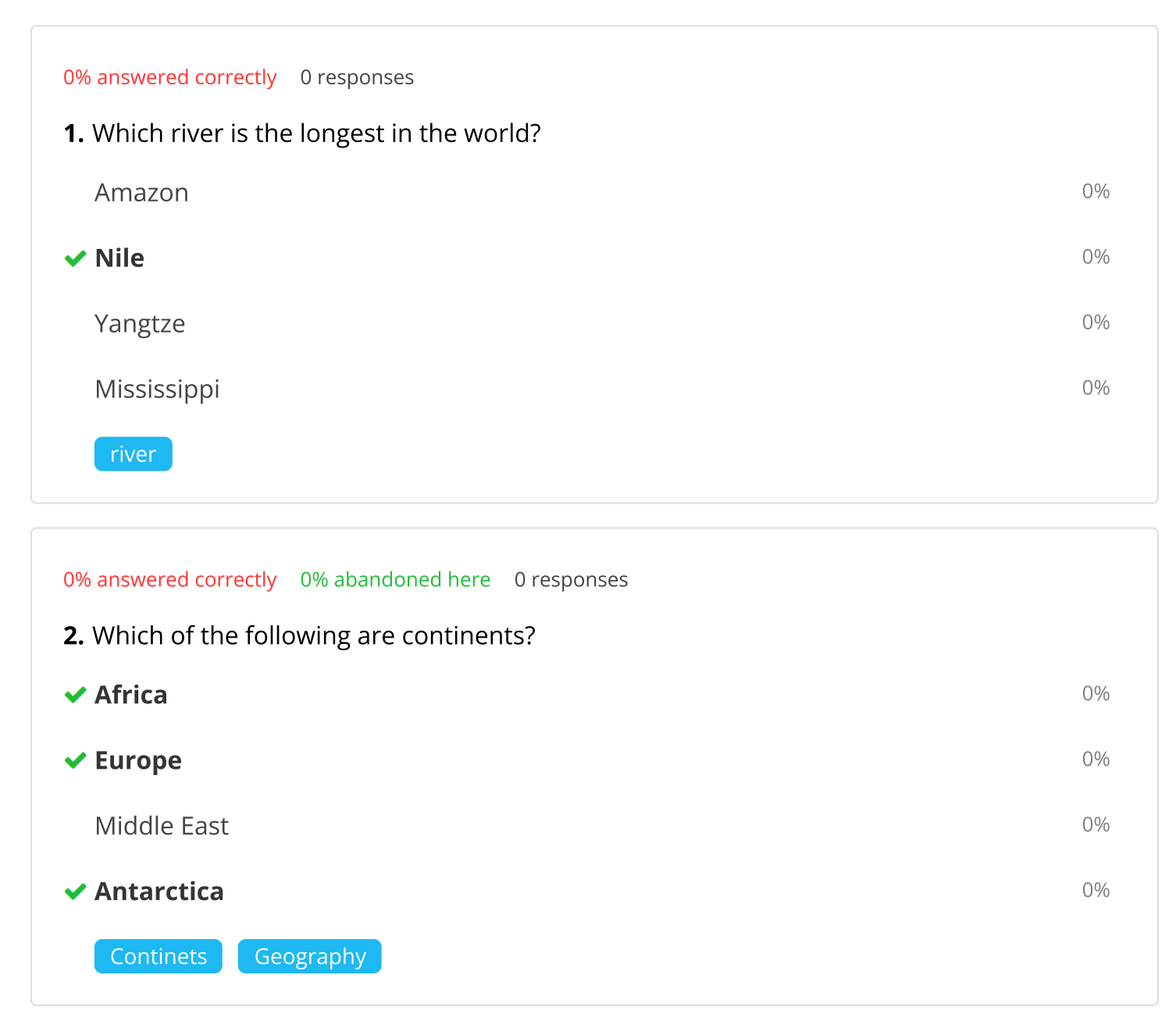
If you select PDF, a file will be generated that includes all the information you see on your question cards in the Edit tab.
Question card view
Export as CSV
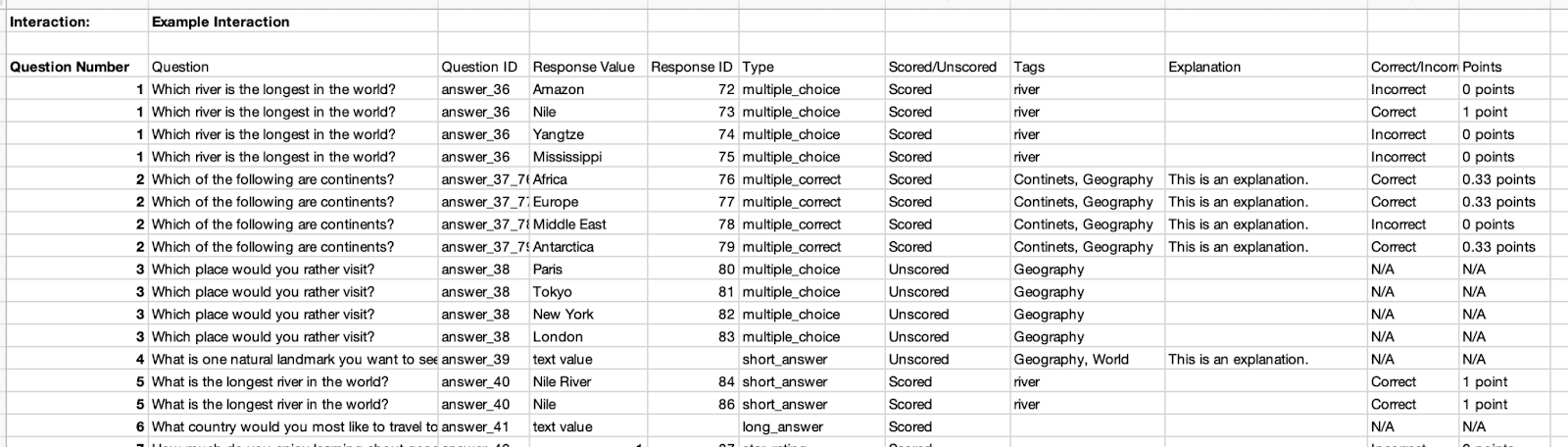
When you export as CSV, the file will show your interaction title at the top, followed by a table with the following columns:
- Question Number - Shows the question number, matching what you see on the question card in the Edit tab.
- Question - The text of your question.
- Question ID - The internal ID of the question.
- Response Value - The answer choice text (or text value for open-ended answers).
- Response ID - The internal ID of the response option.
- Question Type - For example, Multiple Choice, Short Answer, etc.
- Scored/Unscored - For quizzes only. Indicates whether the question is scored or not.
- Tags (if any) - Any tags you have added to the question.
- Explanation (if any) - Any explanation text you have added.
- Correct/Incorrect - For quizzes. Indicates which response is marked as correct.
- Points - For scored quizzes. Shows how many points each answer choice is worth.
- Outcomes - For outcome quizzes only. Shows which outcome is assigned to a specific answer.
Here is an example of exported file:
When some columns are not displayed
Not all columns are used for every interaction type. For example, Scored/Unscored, Correct/Incorrect, and Points are not displayed for surveys, and the Outcomes column is only displayed for outcome quizzes.
What “N/A” means
In some cases, you may see “N/A” in certain columns. This simply means that the value does not apply in that situation.
For example:
- If you add a question to a quiz but set it to Unscored, then the Correct/Incorrect and Points columns for that question will show N/A.
Note: Captcha Verification and Slide are not considered question types, so they are not included in the exported CSV file.
Please reach out to support@credspark.com with any questions.