

There may be times when you would like to tag your questions with one or more topics, to more efficiently gather data on what people understand. Tags can be used to assign skills or topics to questions, or to identify questions as, for example, beginner, advanced, expert, etc. You can then generate scores by tag, helping people understand their performance in a topic category or on a specific level of question. Finally, you can also see how tagged questions perform across multiple interactions to understand broad trends.
To tag questions, enter the tag or of your choice when creating a question:
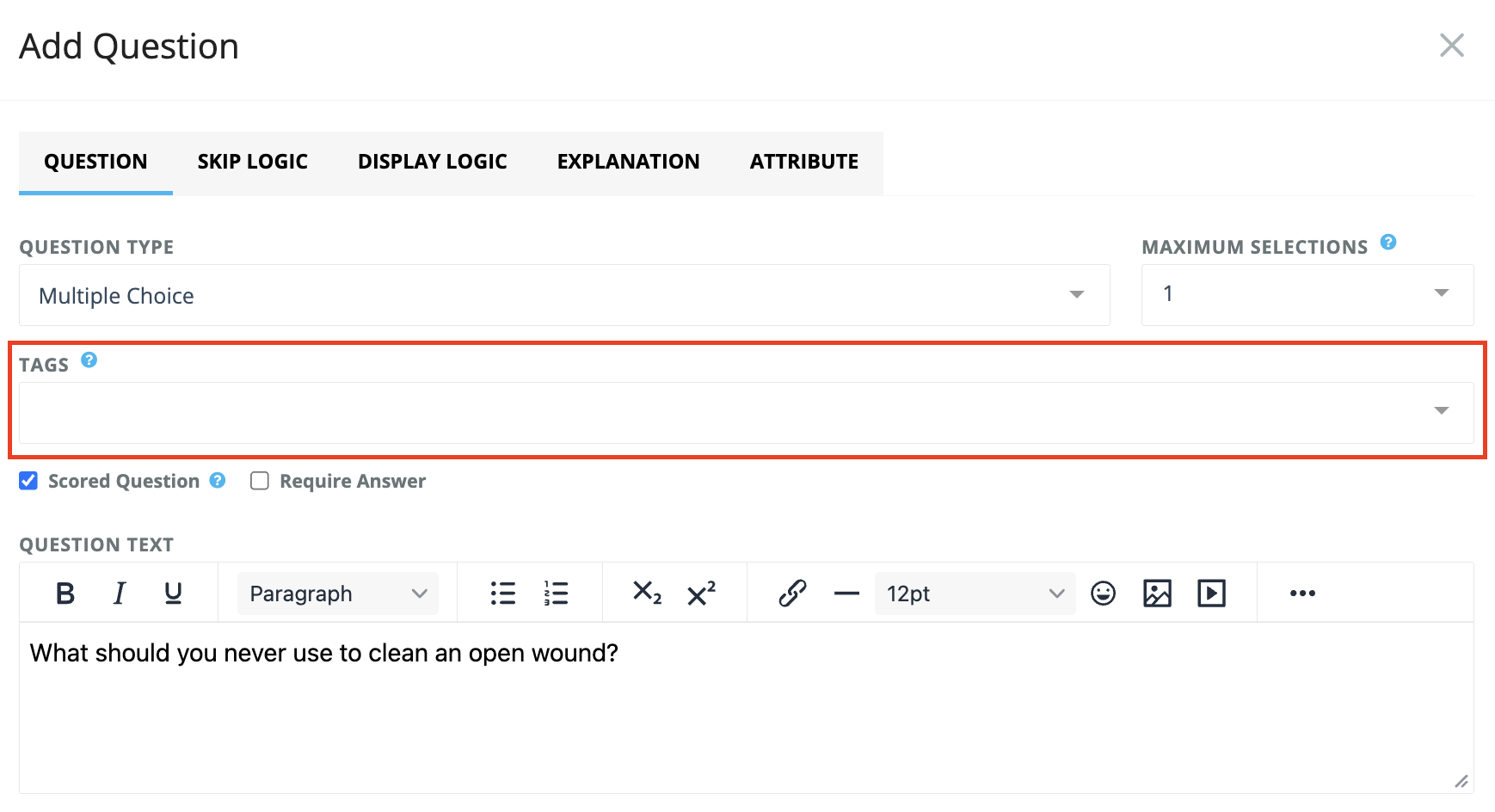
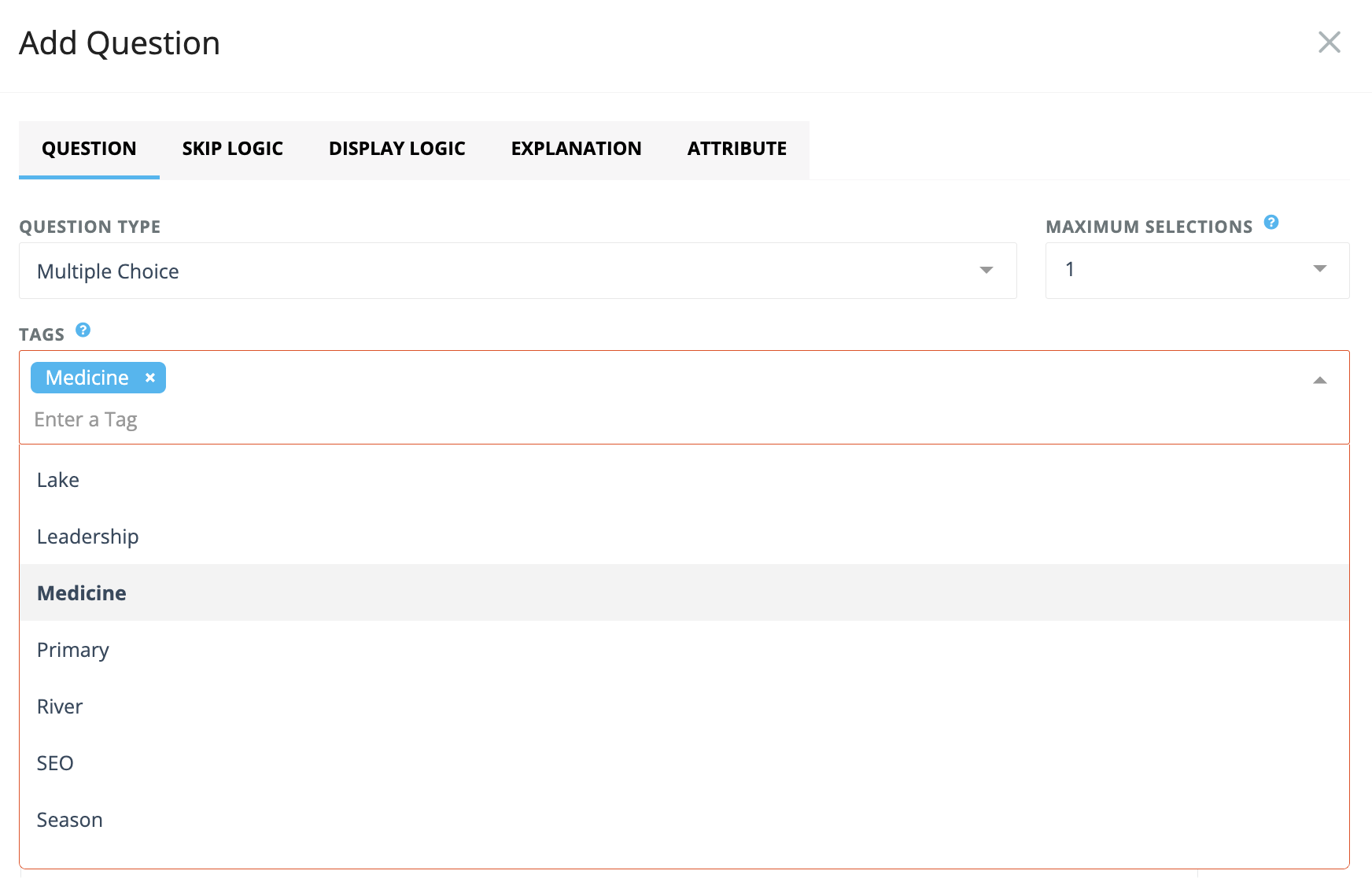
Once a tag has been entered for one question, it will appear in the drop-down list as an available topic to select for all subsequent questions on a quiz or survey. You can enter multiple tags or no tags for each question in your quiz or survey.
Apply a tag to all questions in a section
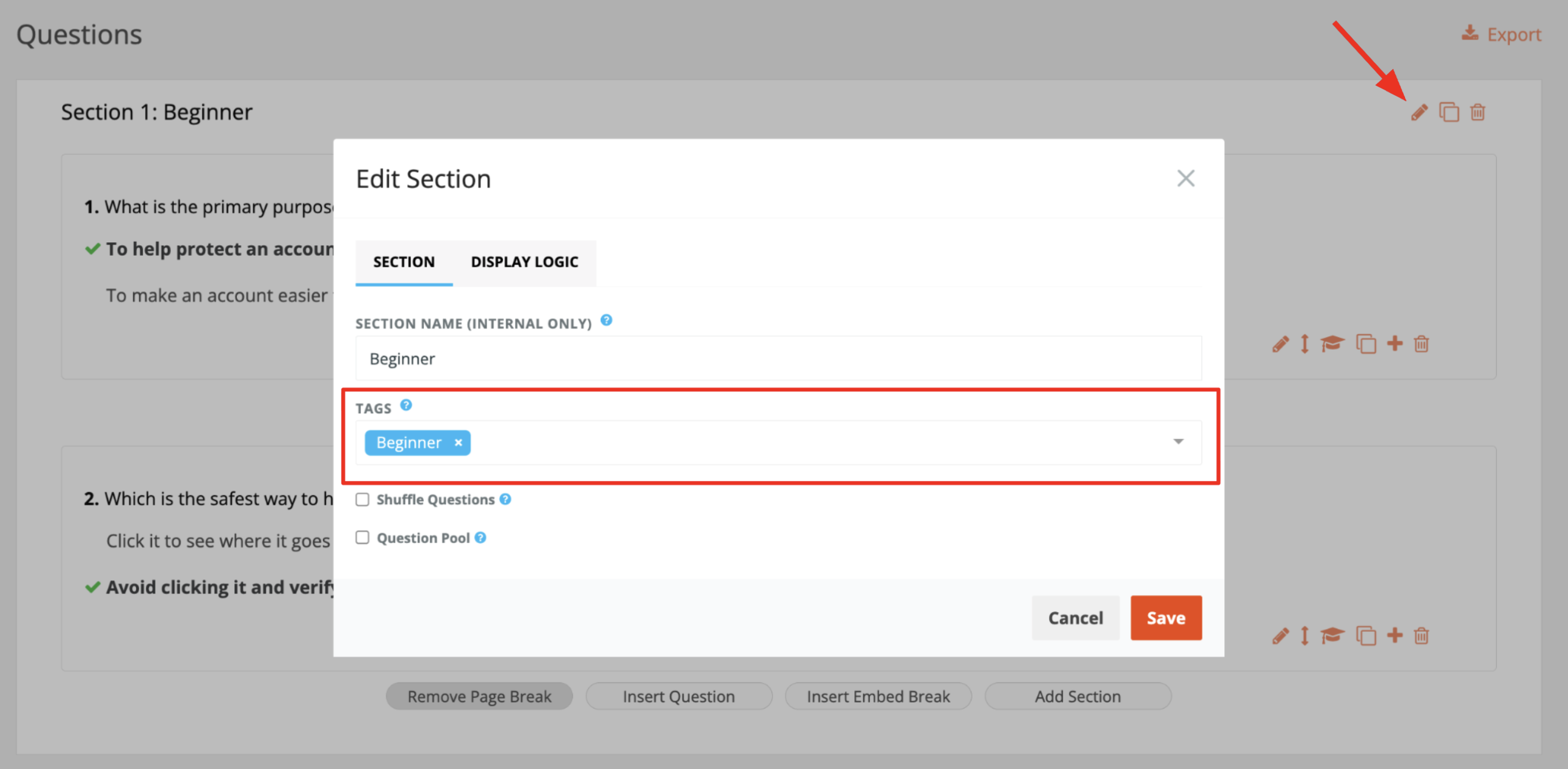
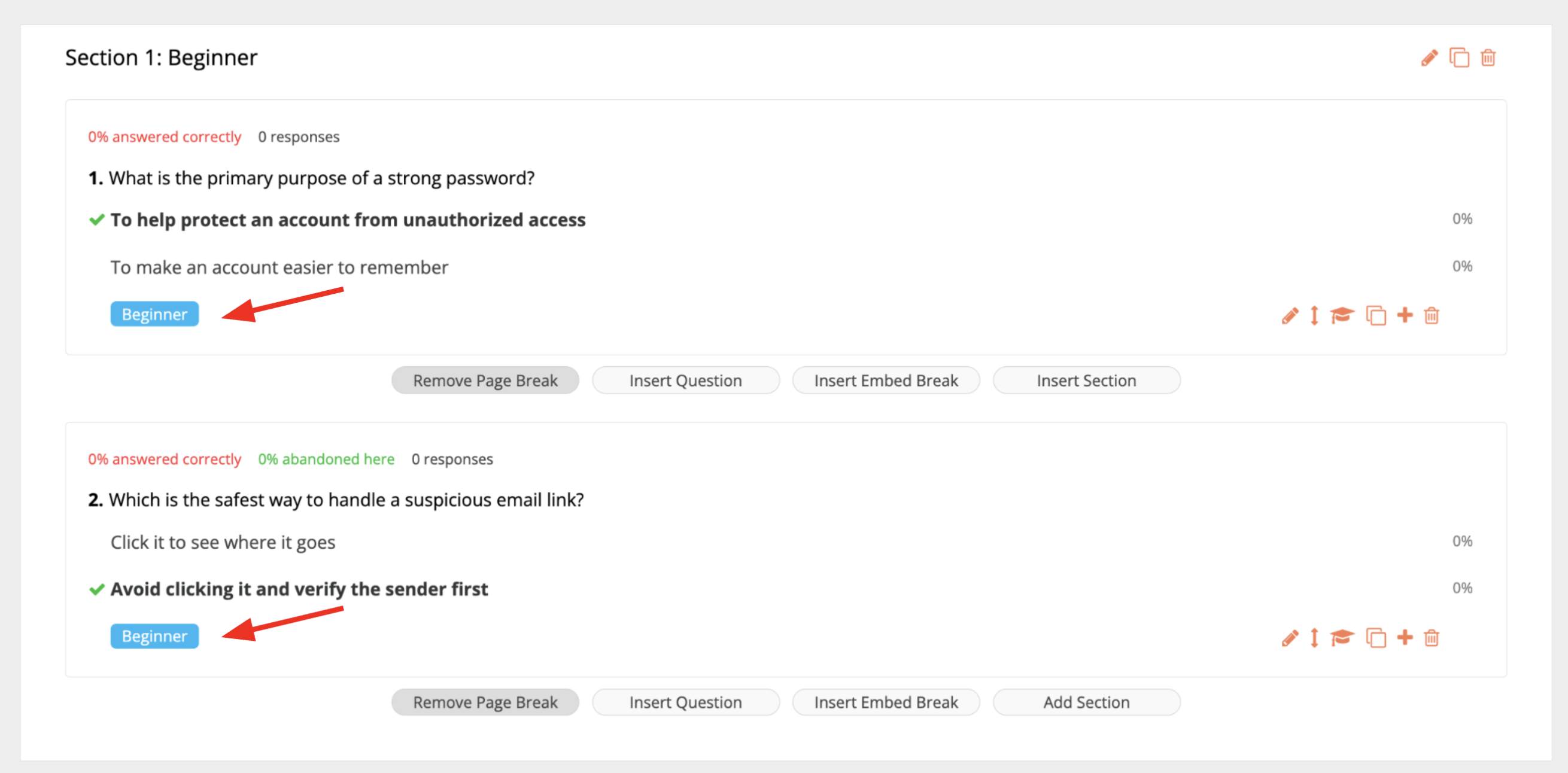
You can also apply a tag to all questions in the same section at once, instead of adding the tag to each question individually.
Open the Edit Section modal and select or add a new tag(s) you want to apply. The tag will then be added to all questions in that section.
Hope you find tagging questions helpful!