November, 2026 Product Release Notes

We are excited to share our latest product updates! You can now save entire sections to your Question Library, send interactions to participants via email campaigns, and much more. Read on to learn more about what's new in CredSpark!
Availability: Ultimate, CredSpark+
Save Sections to the Question Library
You can now save entire sections to the Question Library and reuse them across multiple interactions!
This is especially useful for frequently used groups of questions, such as registration questions that collect participant names, email addresses, or other contact information. You can also save sections with display logic, making it easier to reuse more complex question setups without rebuilding them each time.
Any changes made to a saved section will automatically update all interactions using it. You can also unlink a section if you need to customize it for a specific interaction.
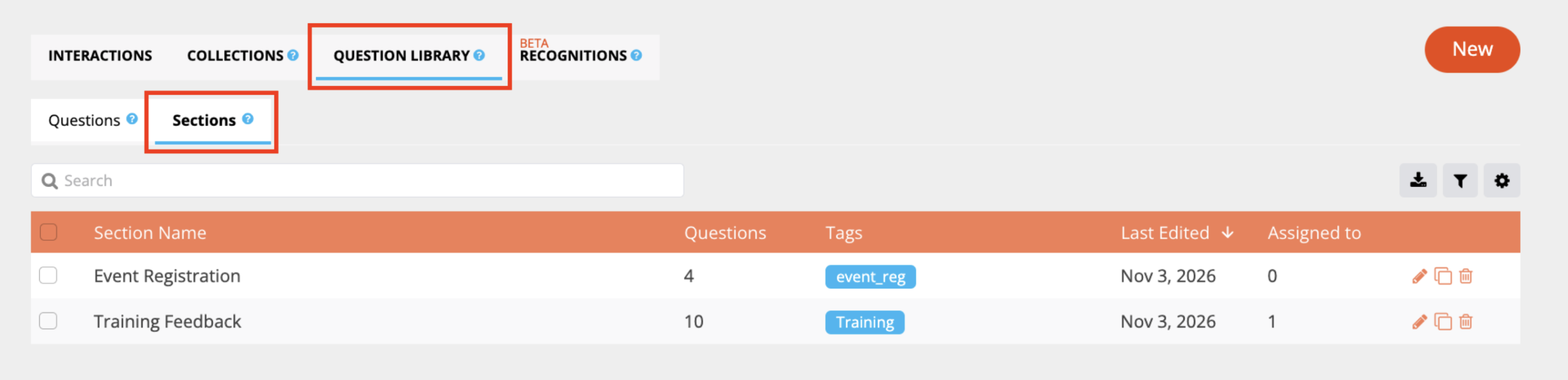
Learn more in our Question Library Knowledge Base article.
Availability: Premier, Ultimate, CredSpark+, Omeda
Triggered Email
The Triggered Email option allows you to send your interaction to participants directly by email. You can create email campaigns with customizable invitations, reminders, and confirmation emails. You can also track email delivery and see which participants have started or submitted their responses.
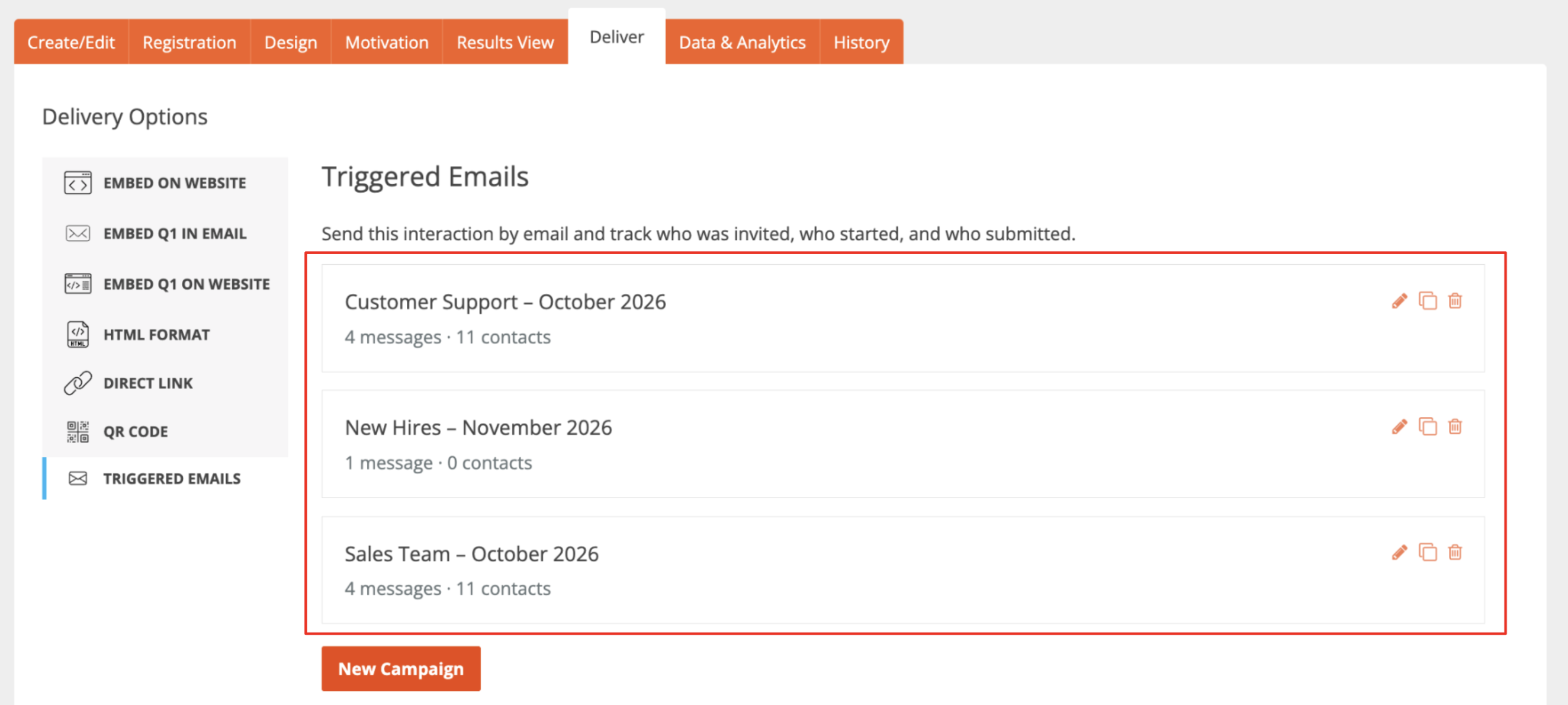
Learn more about setting up campaigns in our Triggered Email Knowledge Base Article, or explore all the ways you can share your interactions in our Delivery Options article.
Availability: Enterprise, Premier, Ultimate, CredSpark+, Omeda
More Question Types in Generate Questions with AI
We have improved the Generate Question with AI feature to support more question types!
In addition to Multiple Choice, you can now generate Short Answer, Rating, Drag/Drop Order, and Drag/Drop Pair Match questions. You can also select multiple question types to include in your AI-generated quiz or survey.
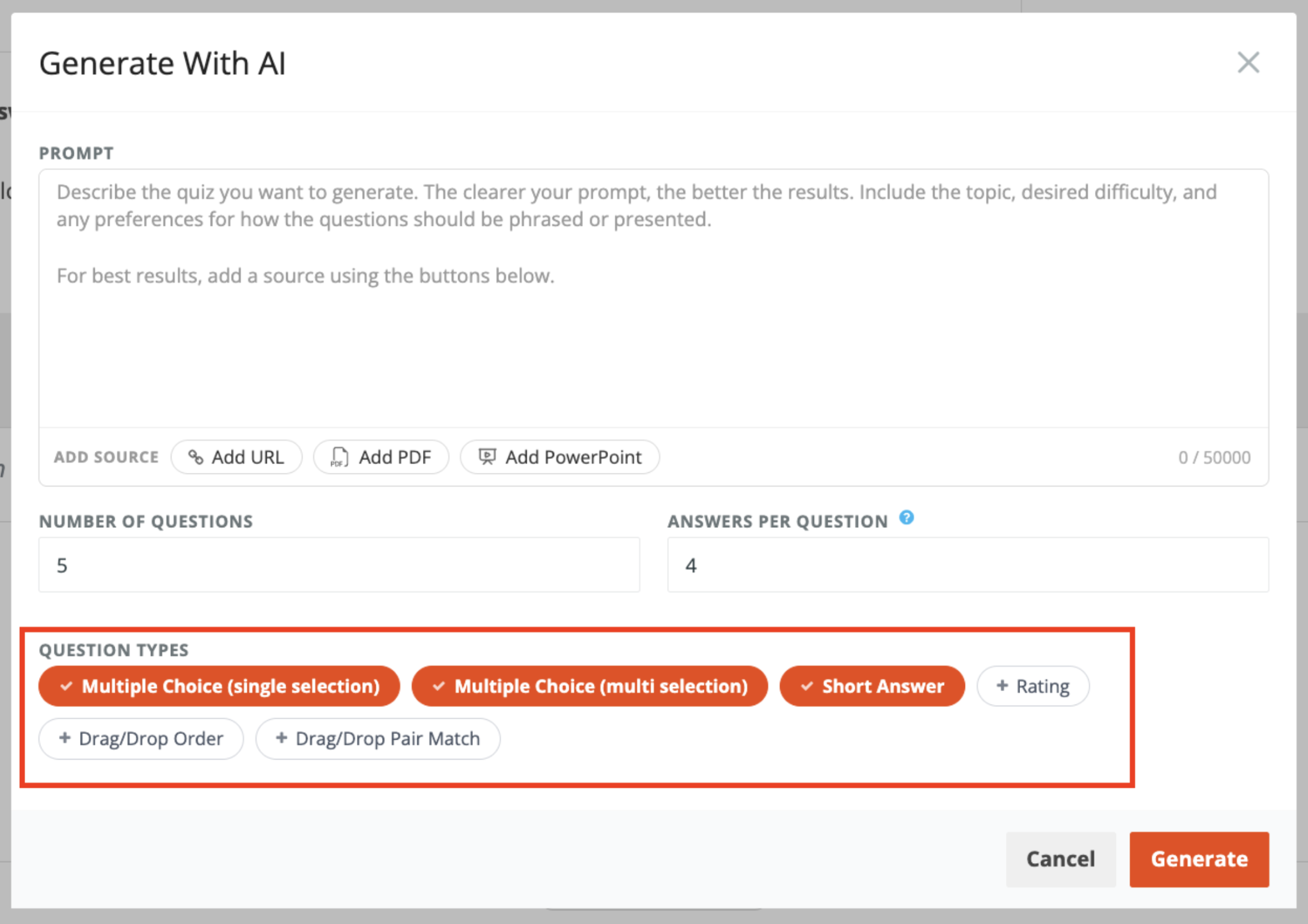
Learn more in our Generate AI-Powered Interactions Knowledge Base article.
Availability: Premier, Ultimate, CredSpark+, Verint Commercial, Omeda
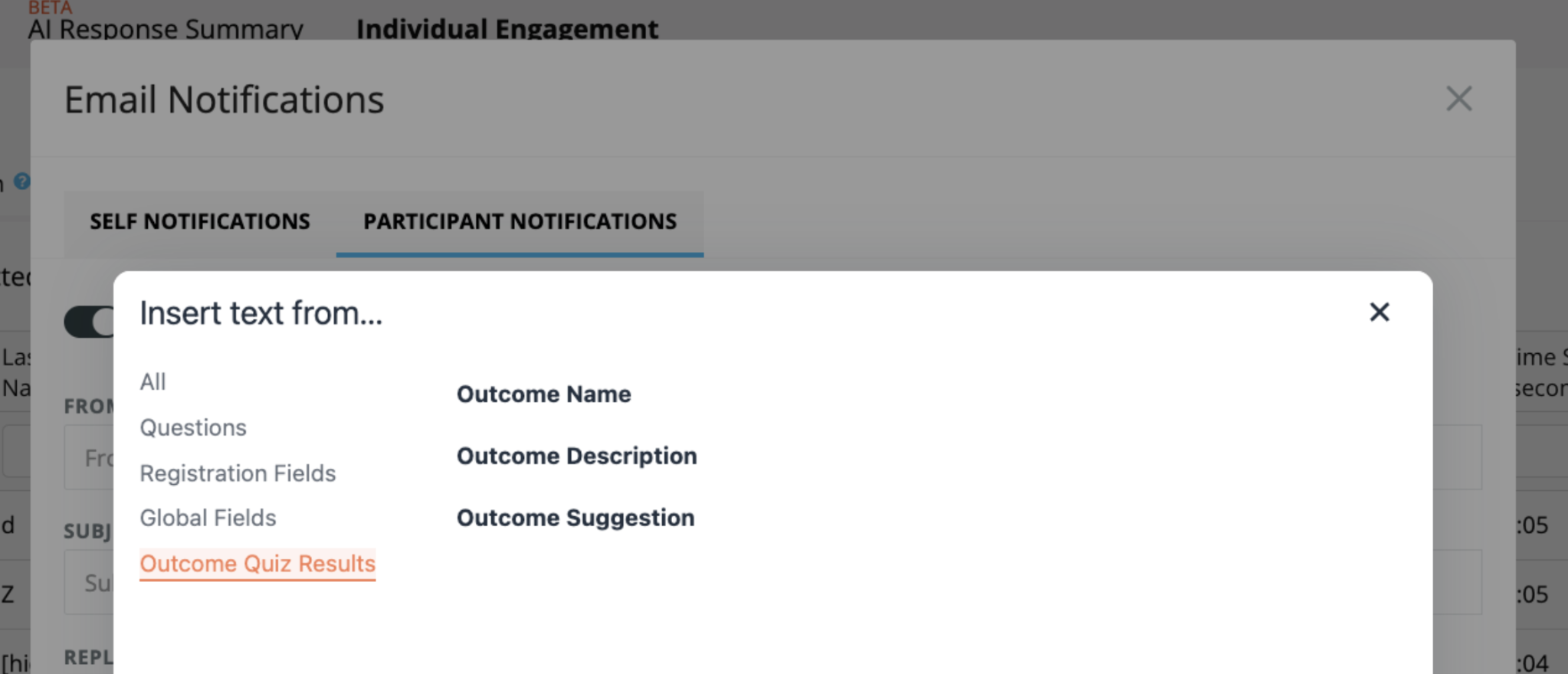
Outcome Variables in Participant Email Notifications
You can now personalize Participant Email Notifications by including information about a participant's assigned outcome in Outcome Quizzes.
Three new variables are available: Outcome Name, Outcome Description, and Outcome Suggestion. These automatically populate with the participant's outcome information, making it easier to send personalized follow-up emails.