May, 2026 Product Release Notes

We have a lot of exciting updates coming this month! Our May release introduces the official launch of Recognitions (along with several improvements for early Beta testers) and AI Response Summary, a new Slider question type, Session Timeout controls, accessibility updates to our default theme, and more. See below for more details.
Availability: Premier, Ultimate, CredSpark+, Verint Commercial, Omeda
Recognitions
We're happy to introduce and officially launch our latest feature - Recognitions! Recognitions let you award participants a custom badge designed by you, helping to make the experience more engaging, rewarding, and memorable. They can be added to scored quizzes, scored quizzes with score ranges, Live Mode, and outcome quizzes.
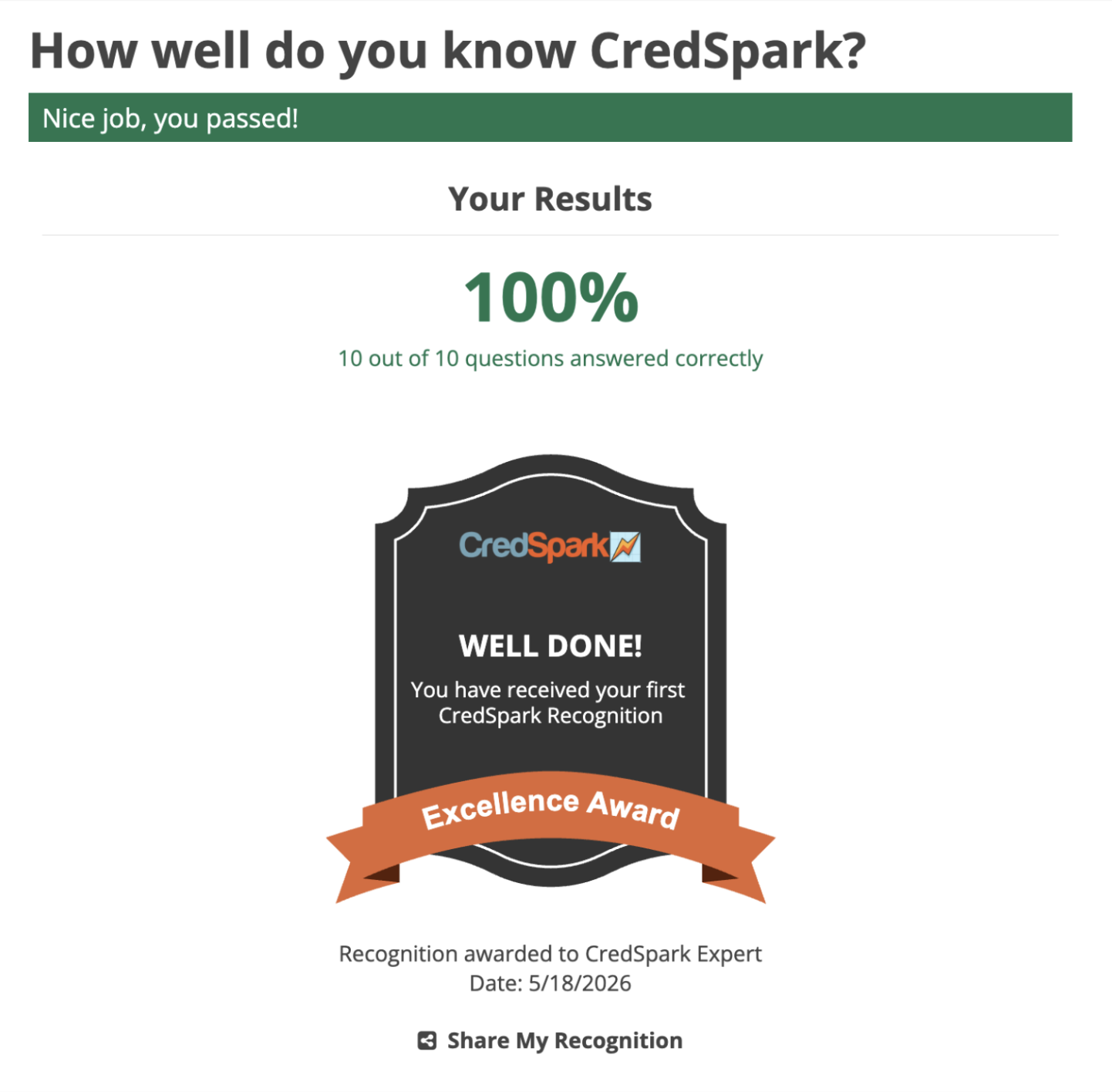
Each awarded Recognition also comes with its own dedicated Share Page - a unique, shareable page generated for every participant who receives a Recognition, which can be fully customized (colors, fonts, header settings, displayed fields, and more).
Learn more about Recognitions in this Knowledge Base Article and the Share Page in this Knowledge Base Article.
Note: Recognitions still carries a Beta tag as we continue improving the feature. If you run into any issues or have ideas for improvements, please reach out to support@credspark.com.
If you were already part of our early Beta testing for Recognitions, scroll down to see a few improvements that are also coming with this release.
Availability: All License Tiers
New Question Type: Slider
We've added a new Slider question type, which lets participants select a numeric value by dragging a slider along a scale. It's a good fit when you want respondents to indicate a value within a defined range - for example, a score, level, or amount. Learn more in this Knowledge Base Article.
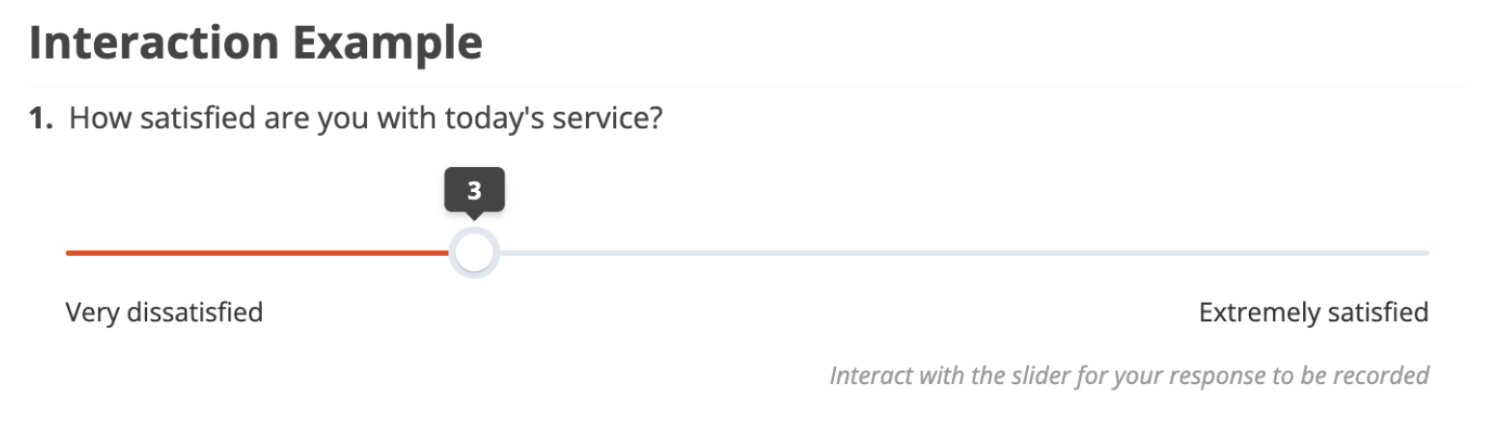
Coming soon: Slider List - a question type that builds on the Slider, allowing multiple sliders within a single question for rating or scoring several items on the same scale.
Availability: Premier, Ultimate, CredSpark+, Verint Commercial, Omeda
Automatic Session Timeout for Tighter Security
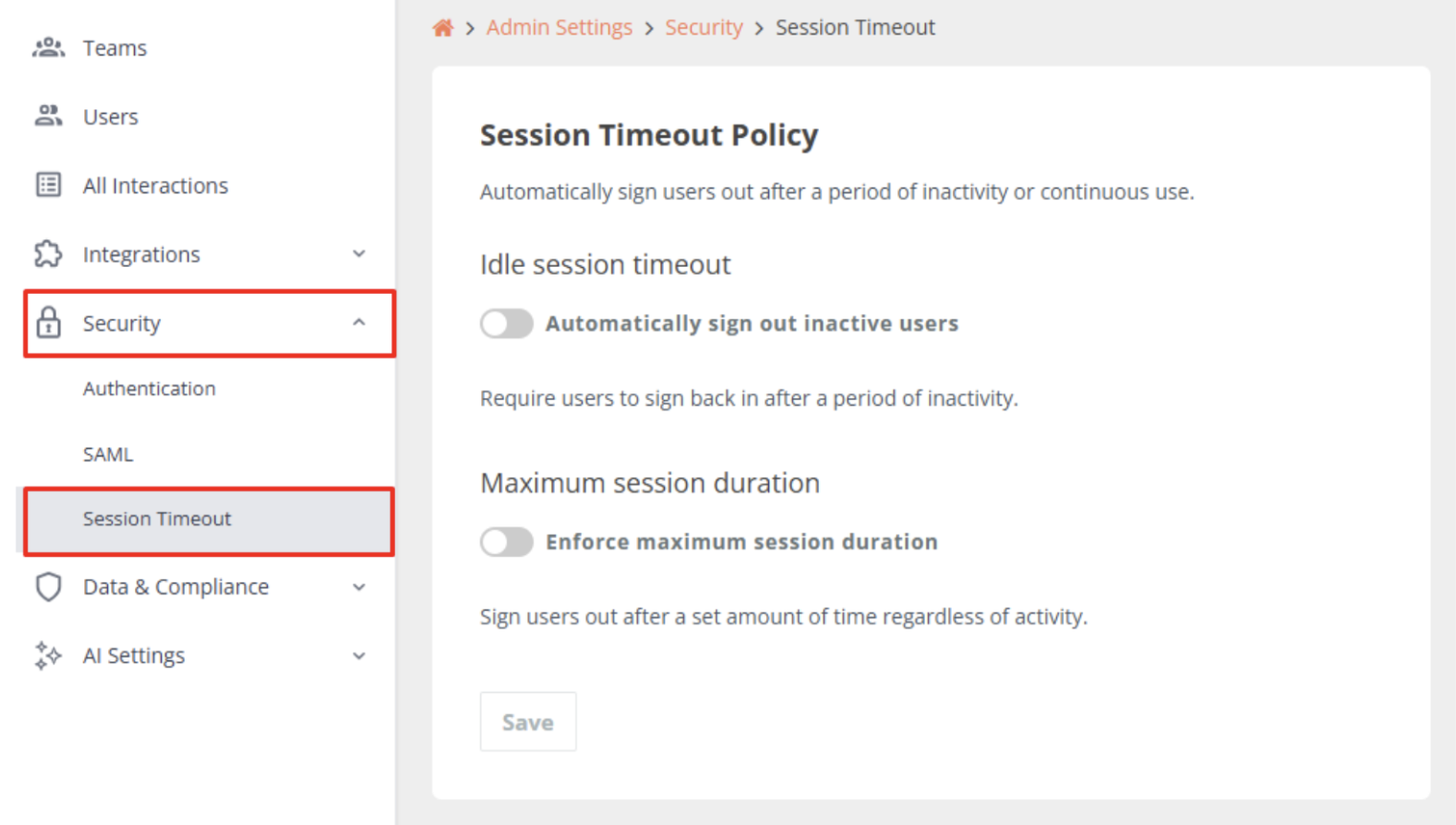
Admins can now configure session timeout rules directly from Admin Settings > Security. Two independent controls are available: Idle Session Timeout, which automatically signs out users after a configurable period of inactivity, and Maximum Session Duration, which ends sessions after a set amount of continuous use regardless of activity. Both are deactivated by default and can be tailored to your organization's security requirements.
Availability: Premier, Ultimate, CredSpark+, Verint Commercial, Omeda
AI Response Summary
AI Response Summary helps you quickly understand user feedback by automatically analyzing responses and surfacing key themes, sentiment, and representative quotes.
It allows you to generate an AI-powered summary for any Short Answer or Long Answer (open-ended) question with at least 10 responses. Once generated, CredSpark will return a short overall summary of the responses, key themes and what they represent, (optional) sentiment analysis per theme, and example quotes pulled directly from responses.
For full details on getting started, including how to connect your own AI model and manage AI-powered tool usage in Admin, we strongly recommend reading our Knowledge Base Article before using this feature.
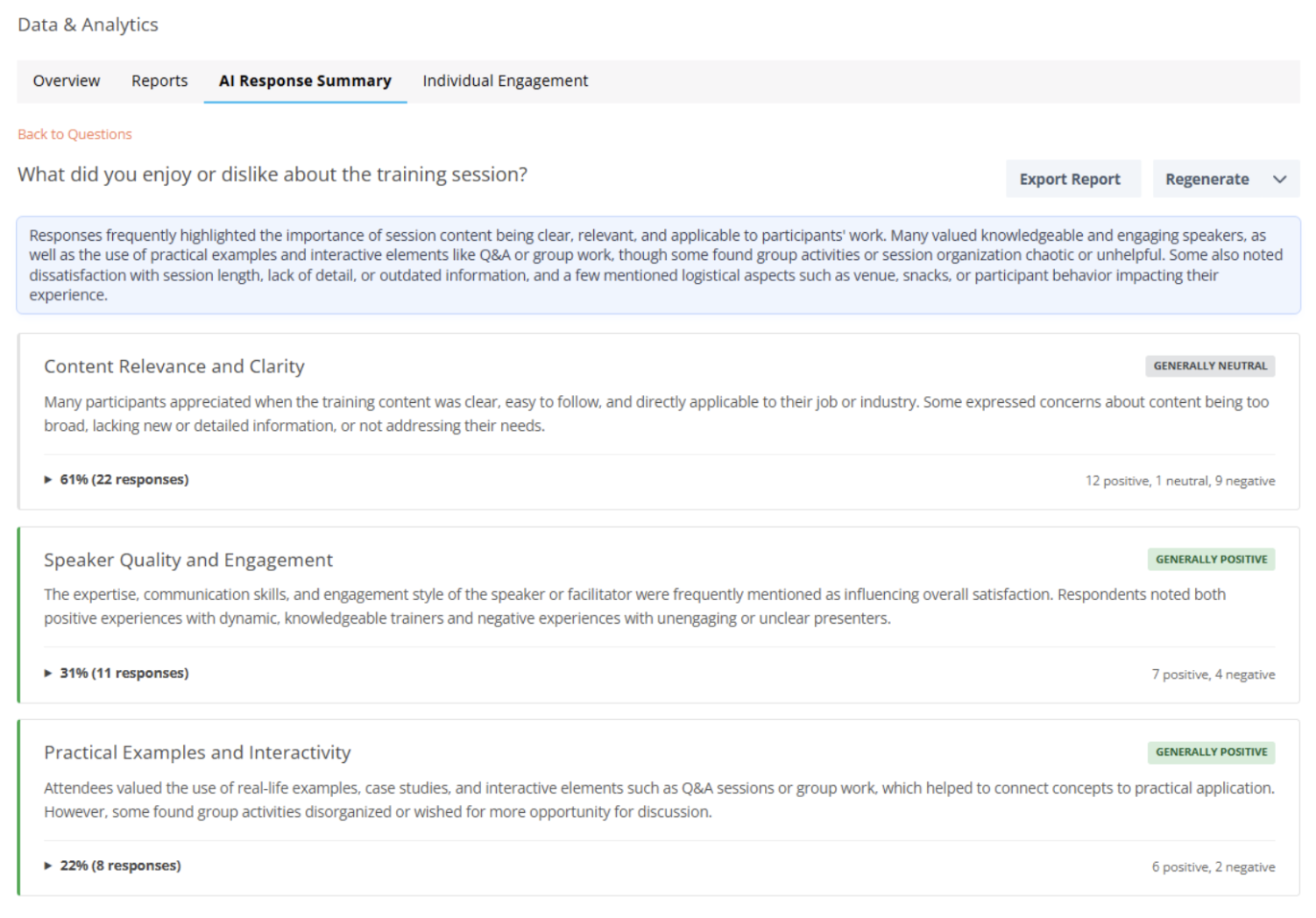
Note: AI Response Summary still carries a Beta tag as we continue improving the feature. If you run into any issues or have ideas for improvements, please reach out to support@credspark.com.
Availability: All License Tiers
CredSpark Default Theme Updates
We're continuously working on improving the accessibility of our interactions, and design and colors play an important role in that. With this release, we're making a few tweaks to our default color theme so it better meets accessibility standards. Updates include the button color and shape, font color for several text elements, input box borders and corners, and the green color used in Instant Answers, Live Mode, and the Results View for quizzes.
If your interaction uses the CredSpark default theme and no design changes have been made, it will automatically start using the new colors. If you've already customized the design or applied custom CSS, your changes will be kept.
Important: We recommend reviewing this Knowledge Base Article to learn more.
Availability: Premier, Ultimate, CredSpark+, Verint Commercial, Omeda
Recognitions Improvements
If you were already part of our early Beta testing for Recognitions, here are a few improvements that are also coming with this release:
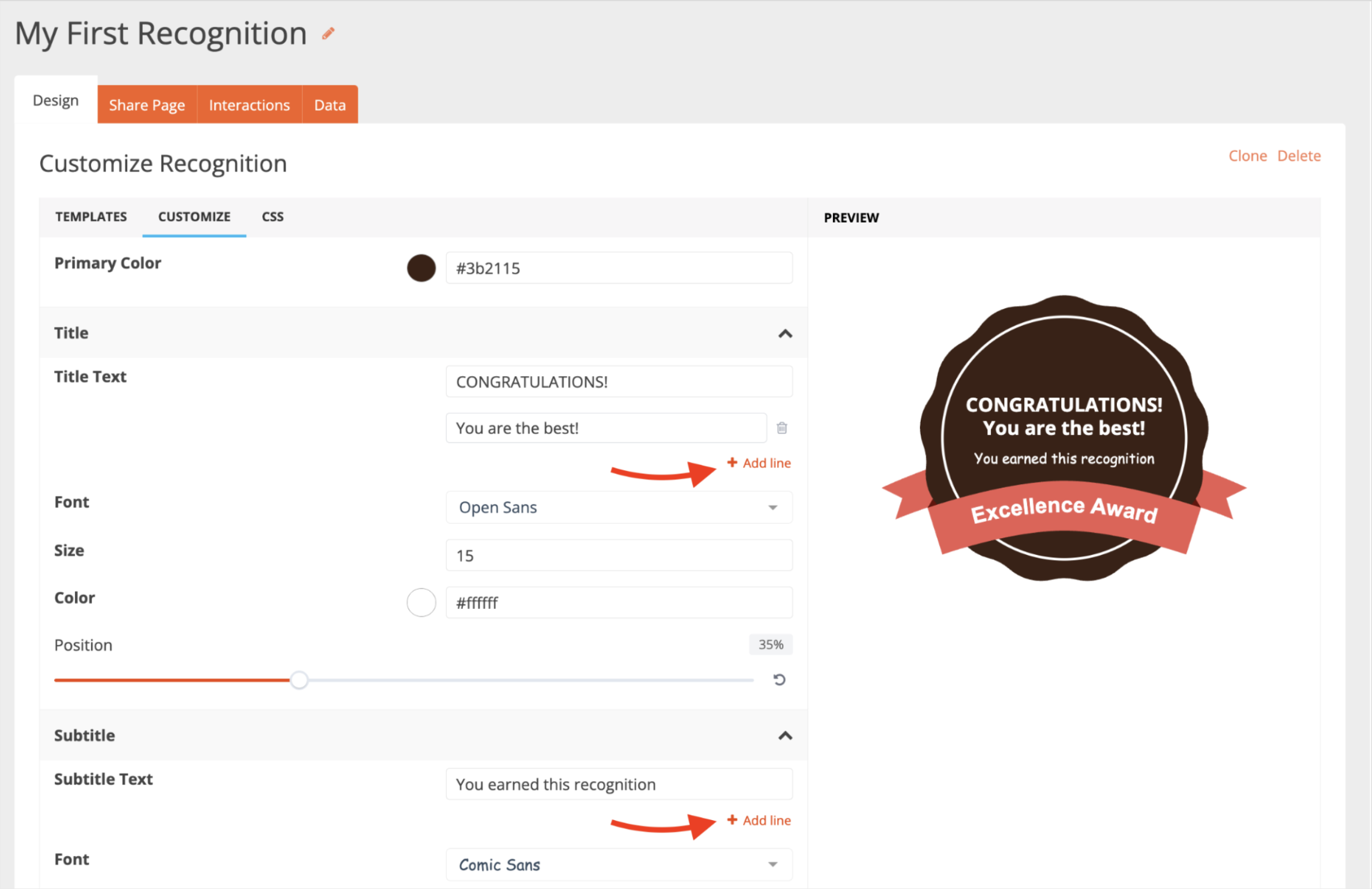
Title and Subtitle Across Multiple Lines: When customizing your Recognition, you can now break the title and subtitle into multiple lines, giving you more flexibility to display longer text.
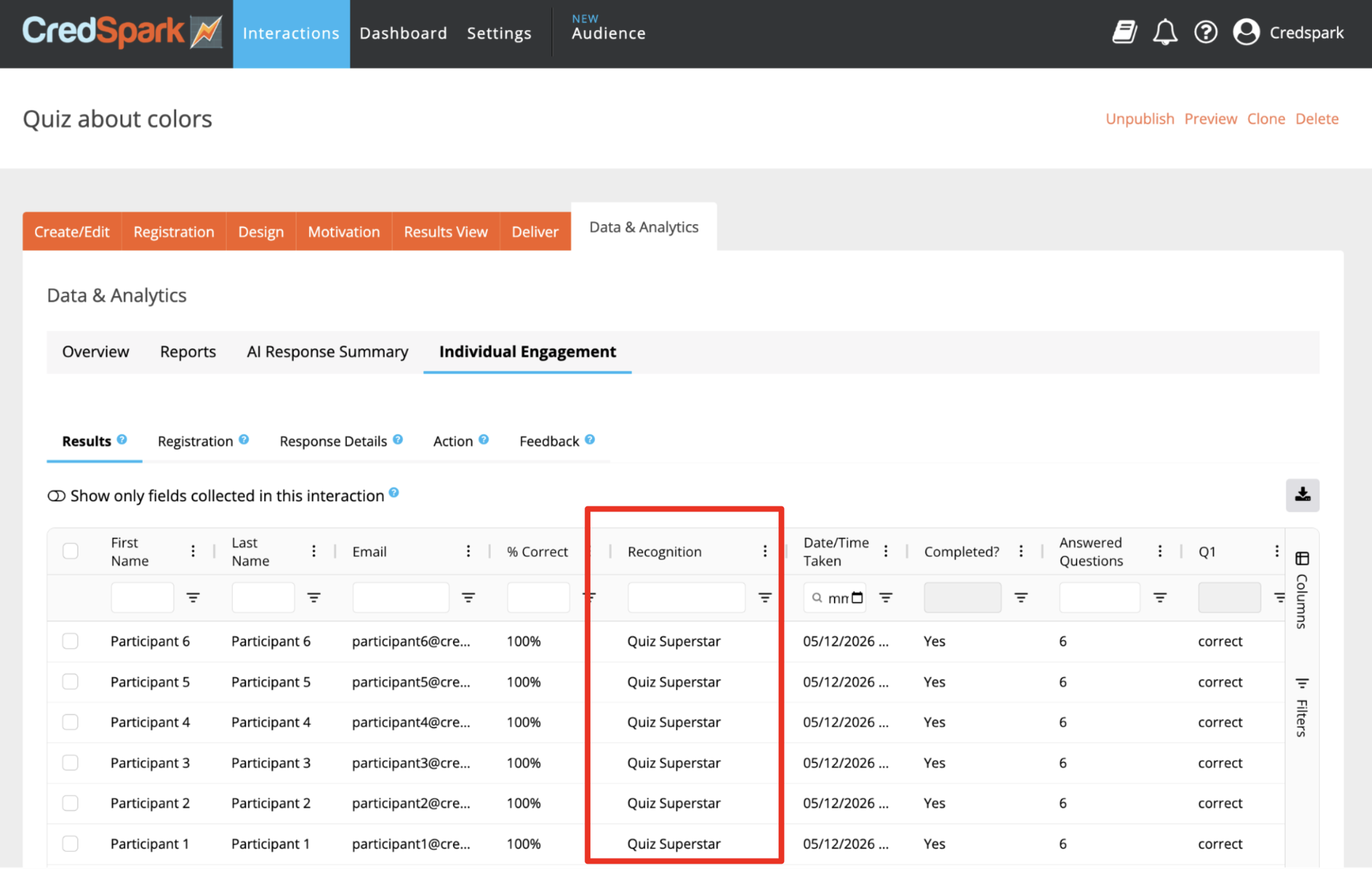
New "Recognitions" Column for Interaction-Level Data: A new column has been added to the interaction-level data, showing which Recognition (if any) the participant received. This is especially useful for outcome quizzes and quizzes with score ranges, where multiple Recognitions can be assigned within a single interaction.
Customizable Share Page: Each awarded Recognition has its own dedicated Share Page - a unique, shareable page generated for every participant who receives a Recognition. It can now be fully customized - you can adjust colors, fonts, header settings, and the fields displayed, as well as add custom fields.
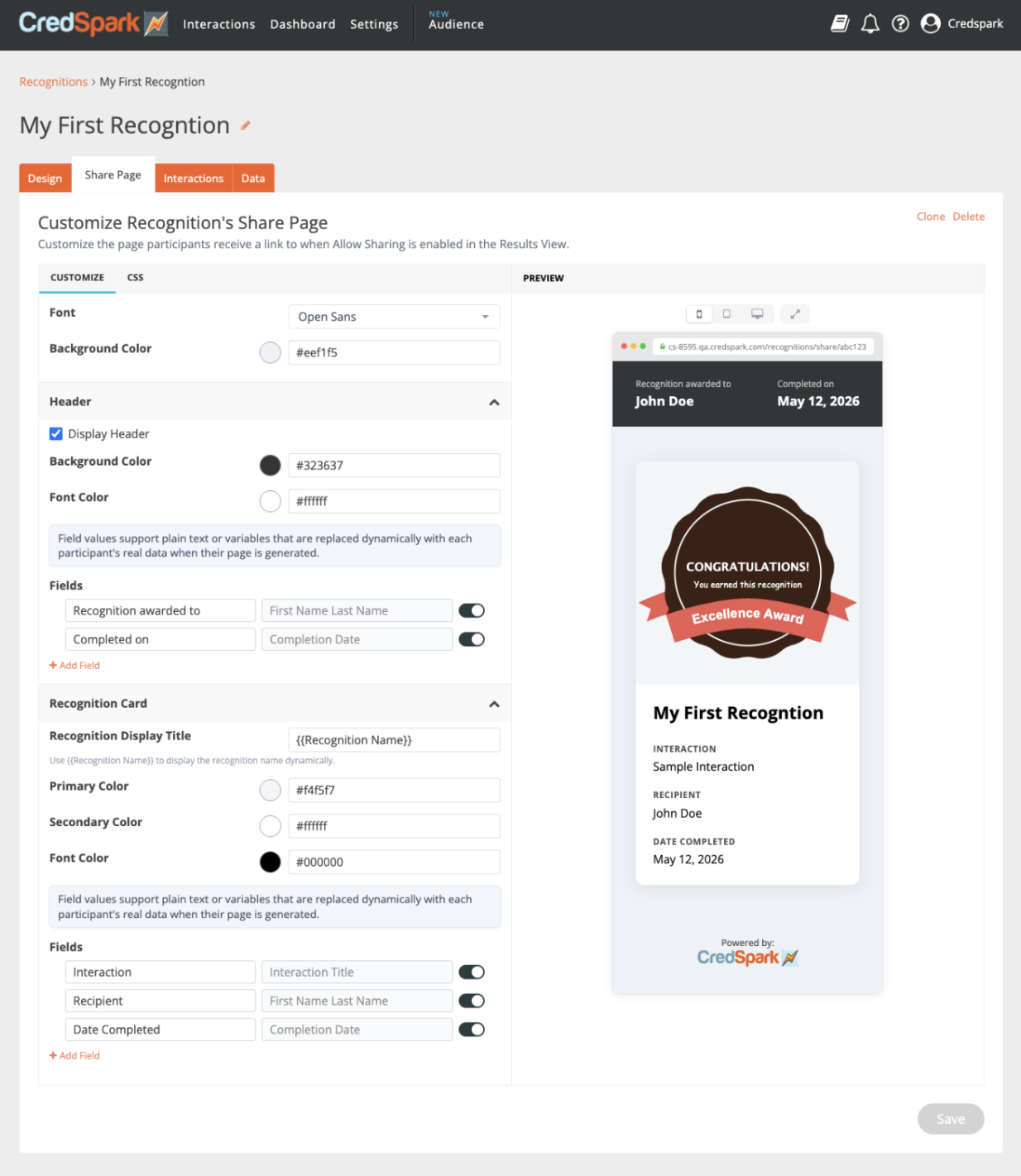
Learn more about the Share Page in this Knowledge Base Article.
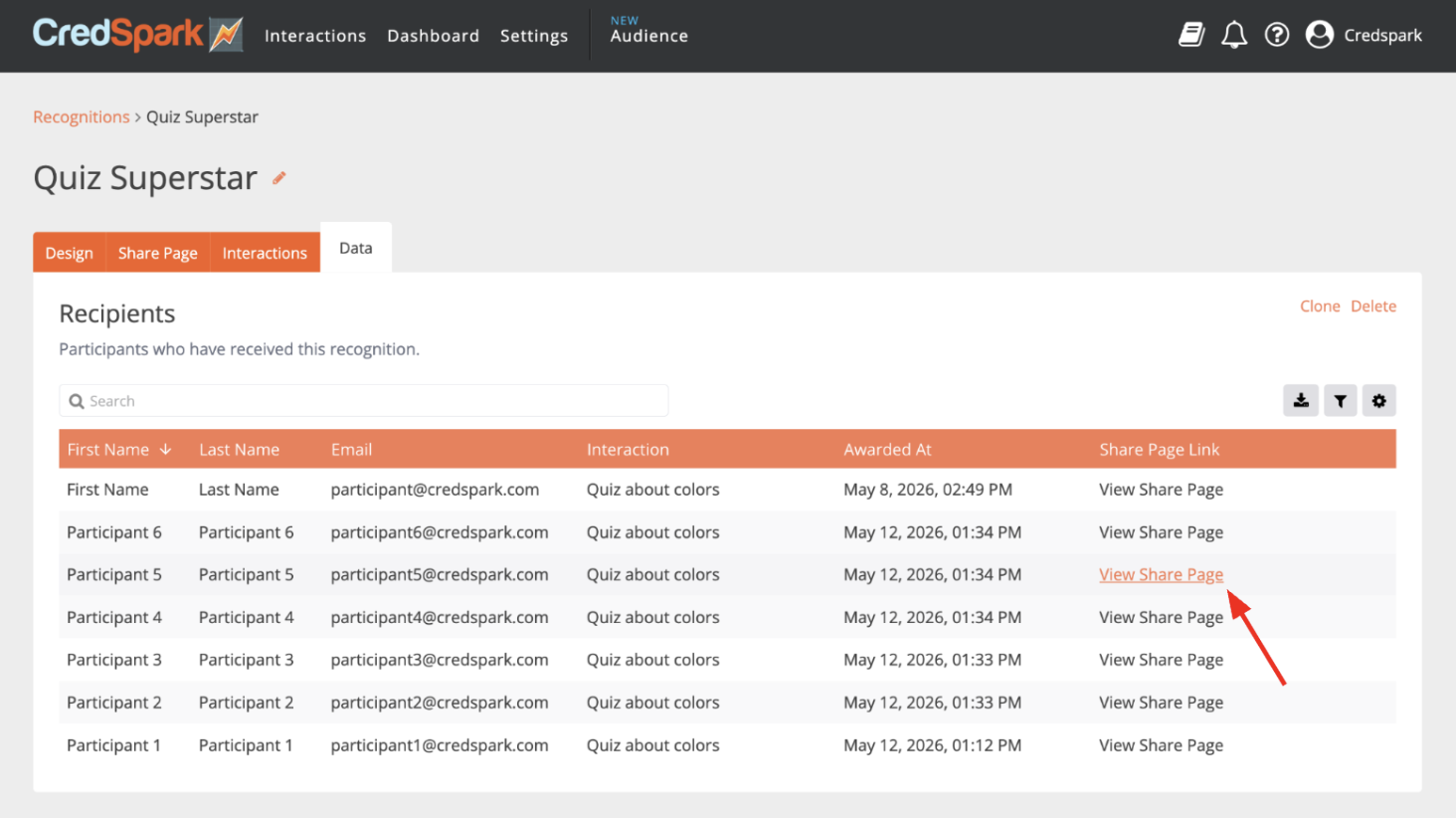
Share Page Access in Data Tab: Inside a specific Recognition, the participants table now includes a new "Share Page" column with a direct link to each participant's Share Page - making it easy to access to review it or share it.
Availability: All License Tiers
Open & Close Date Time Zone Update
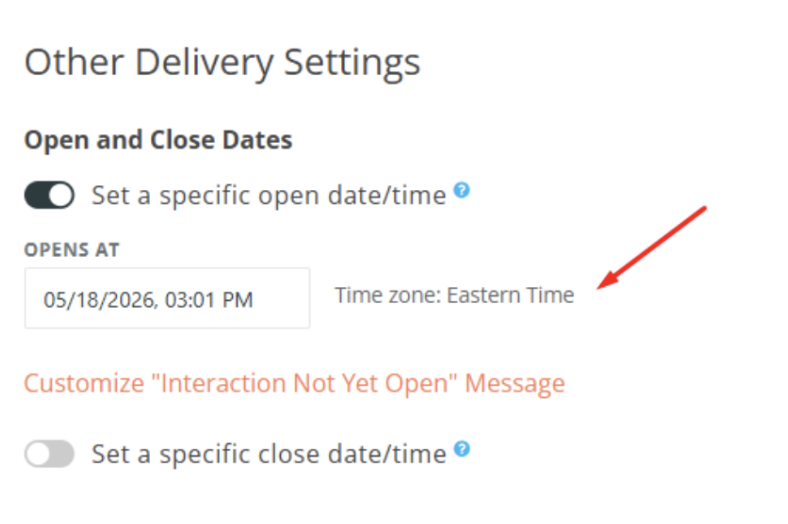
We've updated how time zones are displayed when setting open and close dates for your interactions. Previously, times were shown in UTC. Going forward, the time zone will automatically reflect your local computer settings, making it easier to schedule interactions without manual time zone conversion. This change applies to new dates only - any open and close dates you've already configured will not be affected.