February, 2026 Product Release Notes

Here’s what’s new in CredSpark for January 2026 - new AI insights, enhanced report sharing, additional analytics reporting, and a smoother participant notification experience.
Availability: Premier, Ultimate, CredSpark+, Verint Commercial
AI Response Summary (Beta)
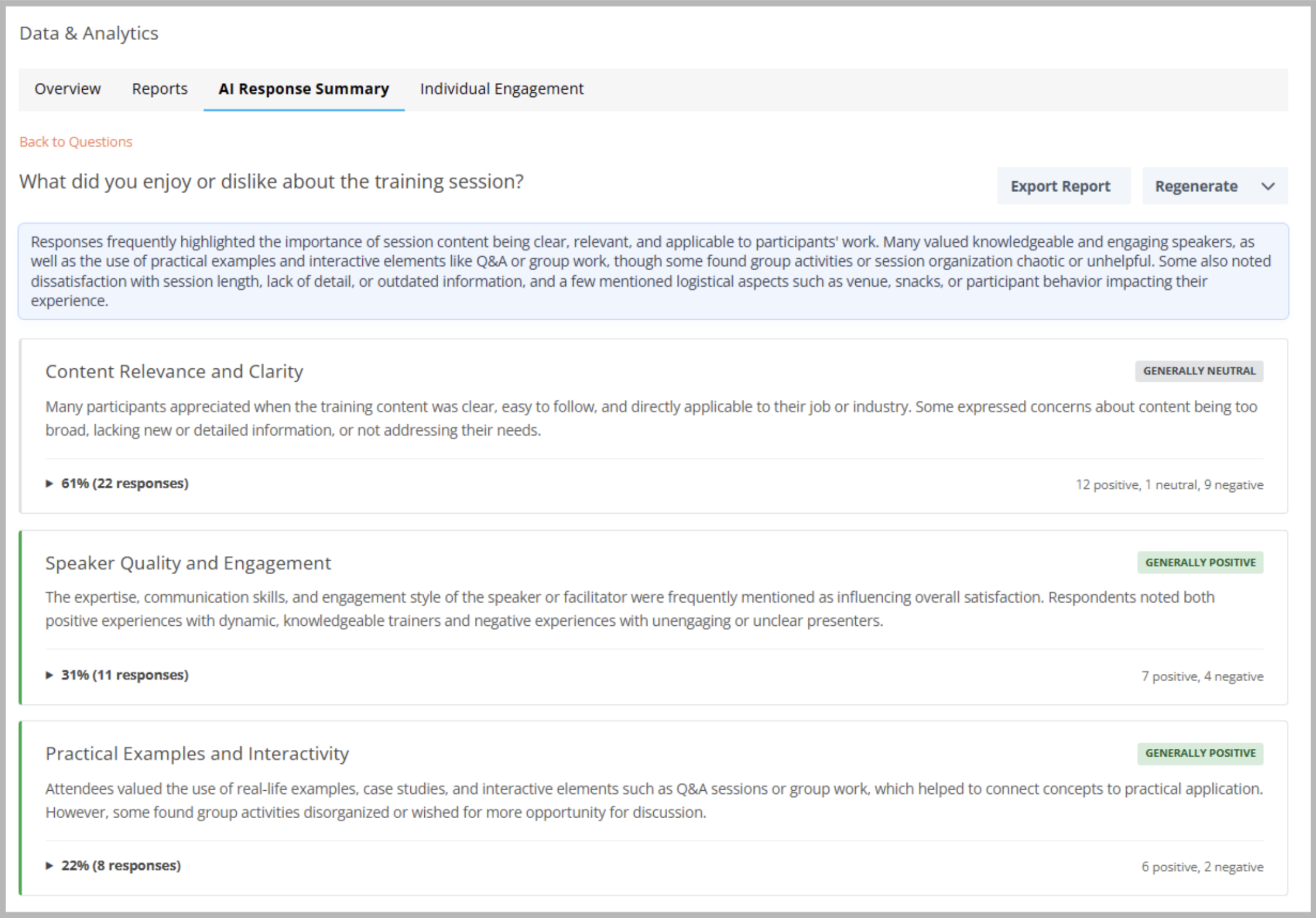
AI Response Summary helps you quickly understand user feedback by automatically analyzing responses and surfacing key themes, sentiment, and representative quotes.
It allows you to generate an AI-powered summary for any Short Answer or Long Answer (open-ended) question with at least 10 responses. Once generated, CredSpark will return a short overall summary of the responses, key themes and what they represent, (optional) sentiment analysis per theme, and example quotes pulled directly from responses.
Important: We strongly recommend reading our KB article before starting to use this feature.
Availability: Premier, Ultimate, CredSpark+, Verint Commercial
Bring Your Own Model (BYOM) Official Launch
BYOM lets organizations choose which AI model powers CredSpark’s AI features. By default, organizations use CredSpark’s built-in provider (OpenAI via CredSpark, with no setup required), but teams can optionally connect their own supported AI provider to meet internal security or compliance needs. This feature is available to organizations with Generate with AI enabled. Read more here.
Availability: Ultimate, CredSpark+, Verint Commercial
Report Sharing: Filtering & Segmentation
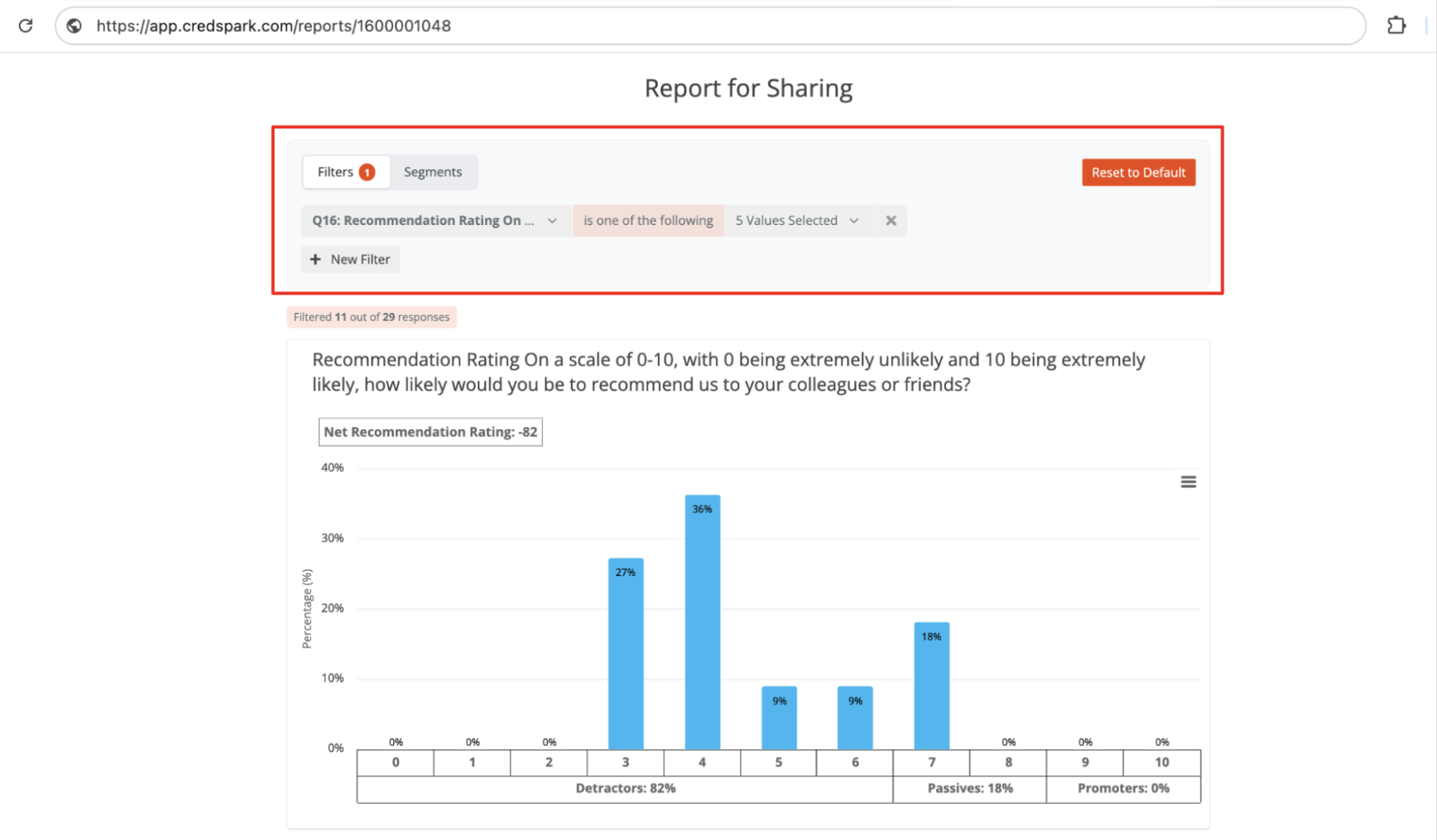
You can now choose to enable Filtering and Segmentation of Reports when sharing it with a 3rd party. This allows viewers to explore report data more deeply by narrowing results to specific answer choices and comparing data across different audience segments.
Availability: Everyone
Individual Tags Report
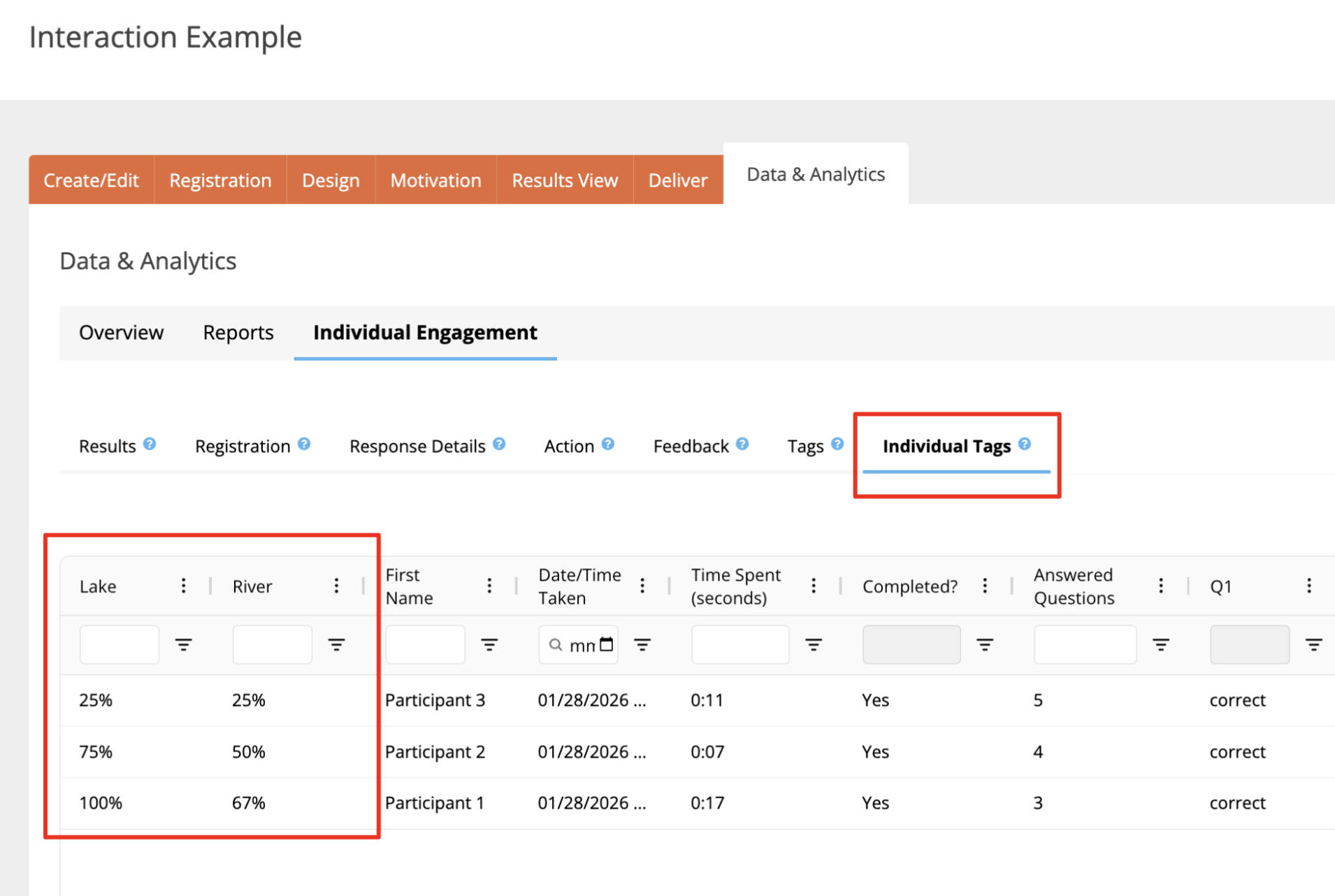
We have added a new Individual Tags Report in Data & Analytics under Individual Engagement. This report shows which question tags are associated with each participant based on the questions they answered. Because tags are applied at the question level, it helps you understand how those tags map to individual participants.
Note: This report is available only when tags are used for scored questions.
Availability: Ultimate, CredSpark+, Verint Commercial
Continuous Sum Question Type in Reports
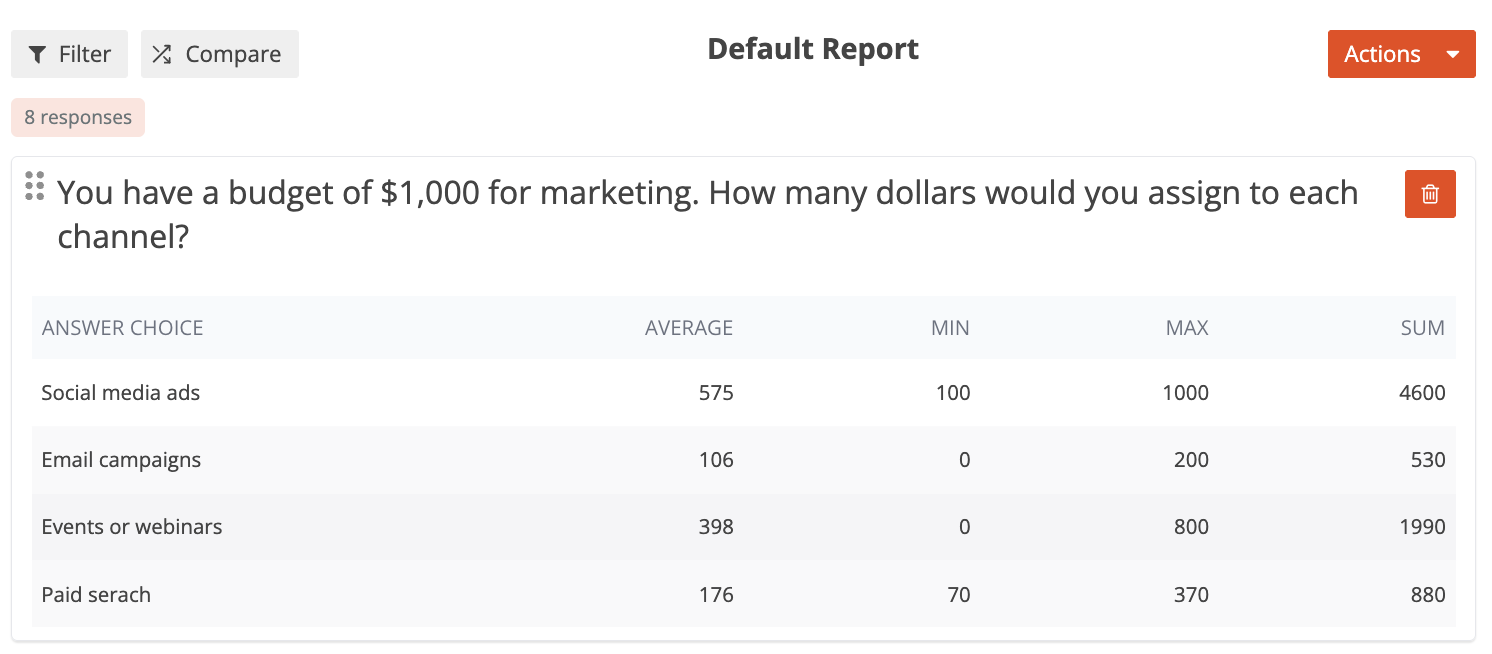
Continuous Sum Question Type is now supported in Reports. You will be able to see:
- Average - The average value entered for each answer choice.
- Minimum - The smallest value entered for each answer choice.
- Maximum - The largest value entered for each answer choice.
- Sum - The total value entered for each answer choice.
Availability: Premier, Ultimate, CredSpark+, Verint Commercial
Include Results View as PDF in participant notification/email
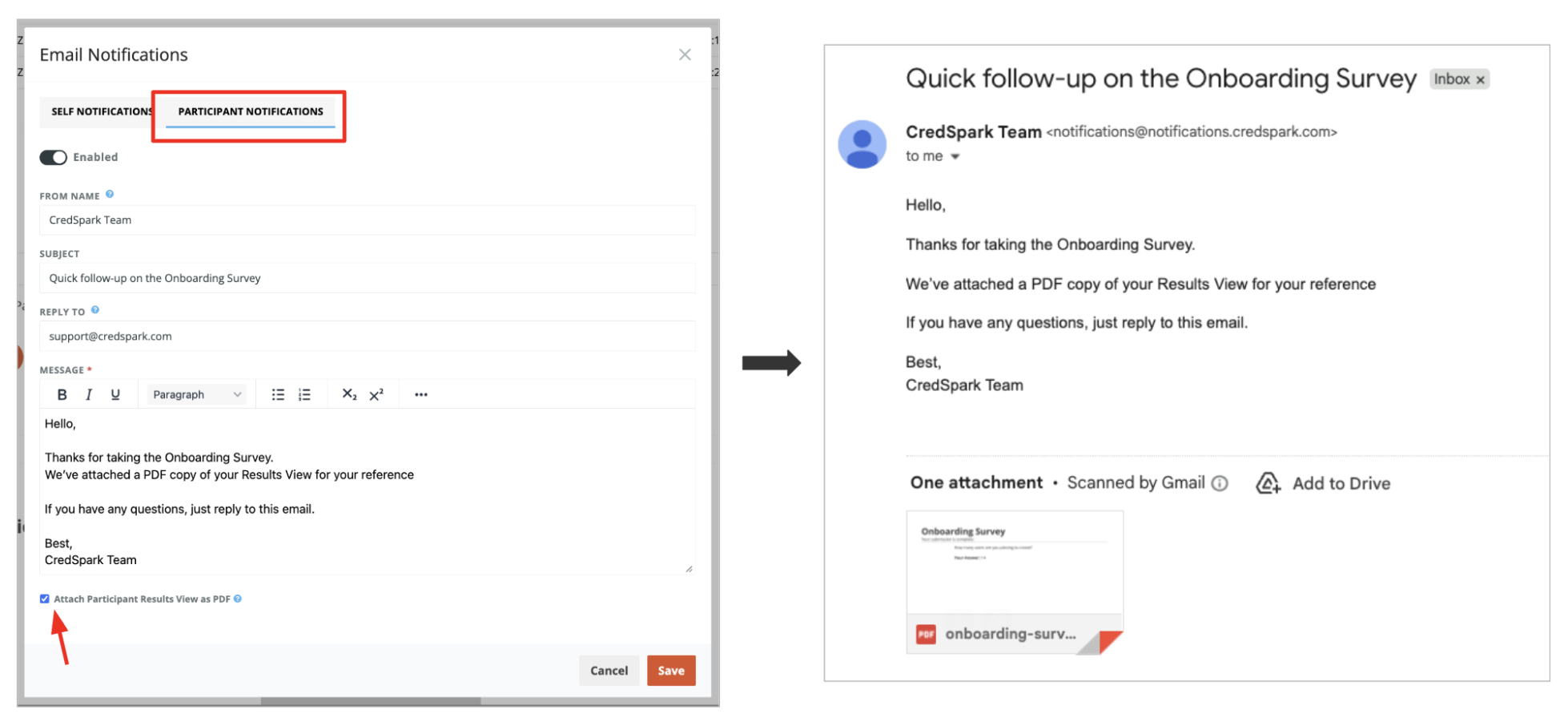
You can now attach a participant’s Results View as a PDF in the participant notification email. When enabled, a PDF version of the participant’s Results View is automatically generated and included with the notification email. This is the same PDF that participants can generate from Results View via Create PDF, but participants no longer need to click to generate it (and you don’t need to add the Create PDF block in Results View).
Availability: Premier, Ultimate, CredSpark+, Verint Commercial
Data Retention
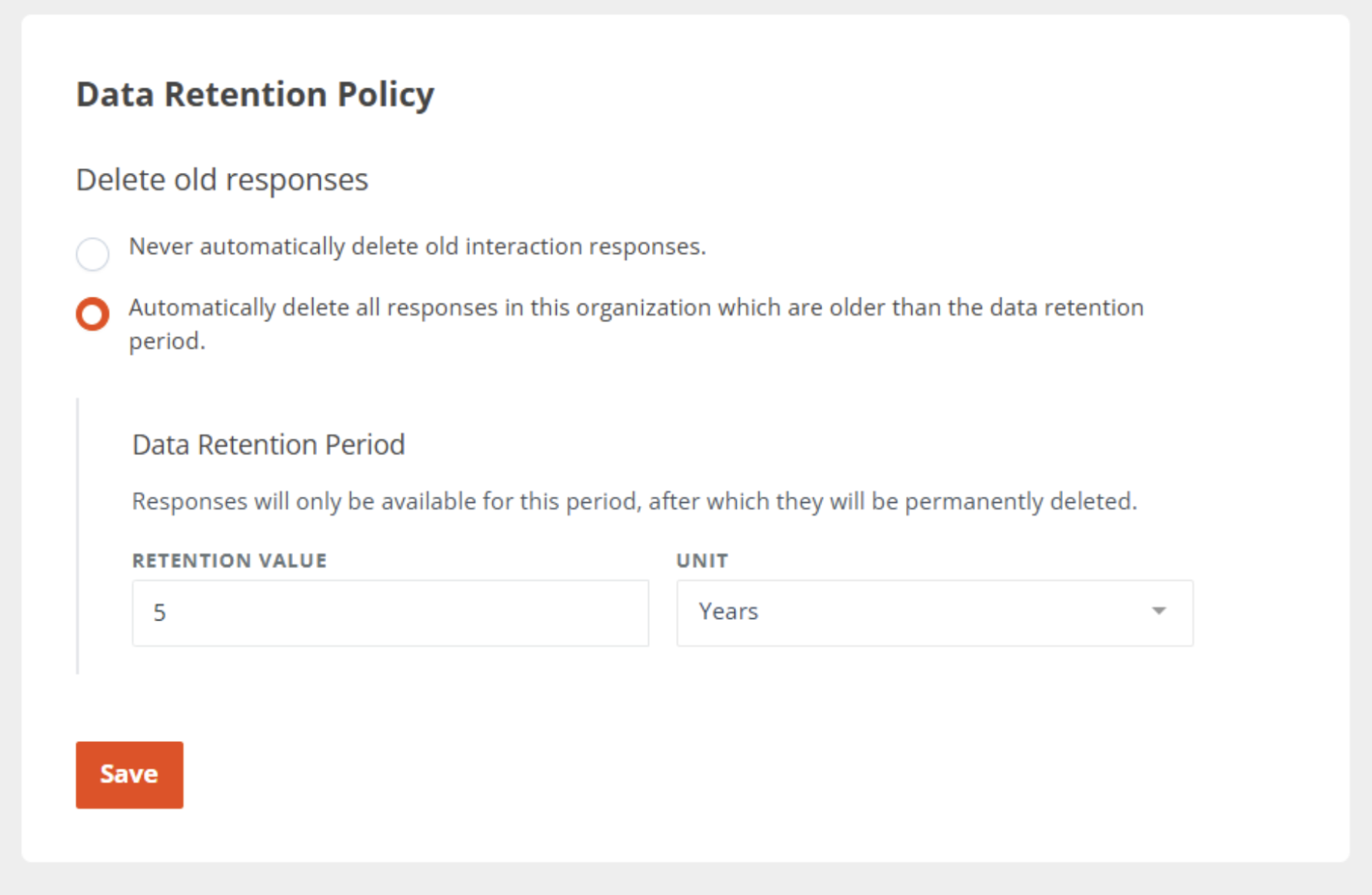
CredSpark now includes organization-wide Data Retention Settings that give Admins control over how long interaction responses are stored. By default, responses continue to be kept indefinitely. Organizations can optionally choose to automatically delete older responses after a set period, helping teams manage their data responsibly and meet internal or regulatory requirements. Read more here.
Updated Hidden Fields
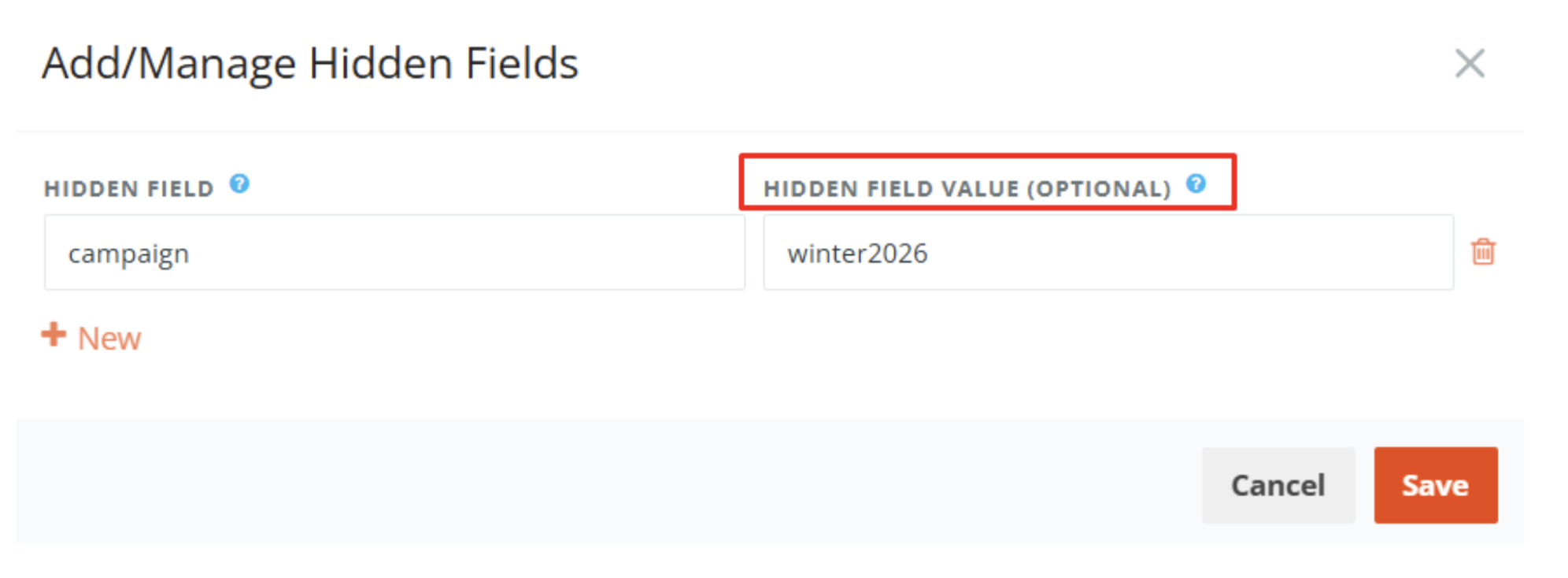
We’ve updated Hidden Fields to make them easier to configure and use. You can now set a hidden field value directly in the Hidden Fields modal.
When a value is added, it is automatically included in your interaction link and appears in reporting. This value is optional and should be added only when it is not dynamic. Previously, a separate Reporting Value label only changed the column name in reports.
With this update, reports now use the hidden field name as the column header instead.