
October, 2026 Product Release Notes

Our October release includes several updates designed to make it easier to create, manage, and deliver interactions. This month, we are introducing reusable Templates, Full Screen Mode for Live Mode presentations, Preview improvements, and more.
Availability: Premier, Ultimate, CredSpark+, Verint Commercial, Omeda
Create Templates for your Organization
Templates let admins create reusable interactions that teams can use as a starting point when creating new interactions.
Templates can help save time when teams regularly create similar interactions and make it easier to maintain a consistent structure, content, or design across interactions. Admins can make a template available to all teams or only selected teams.
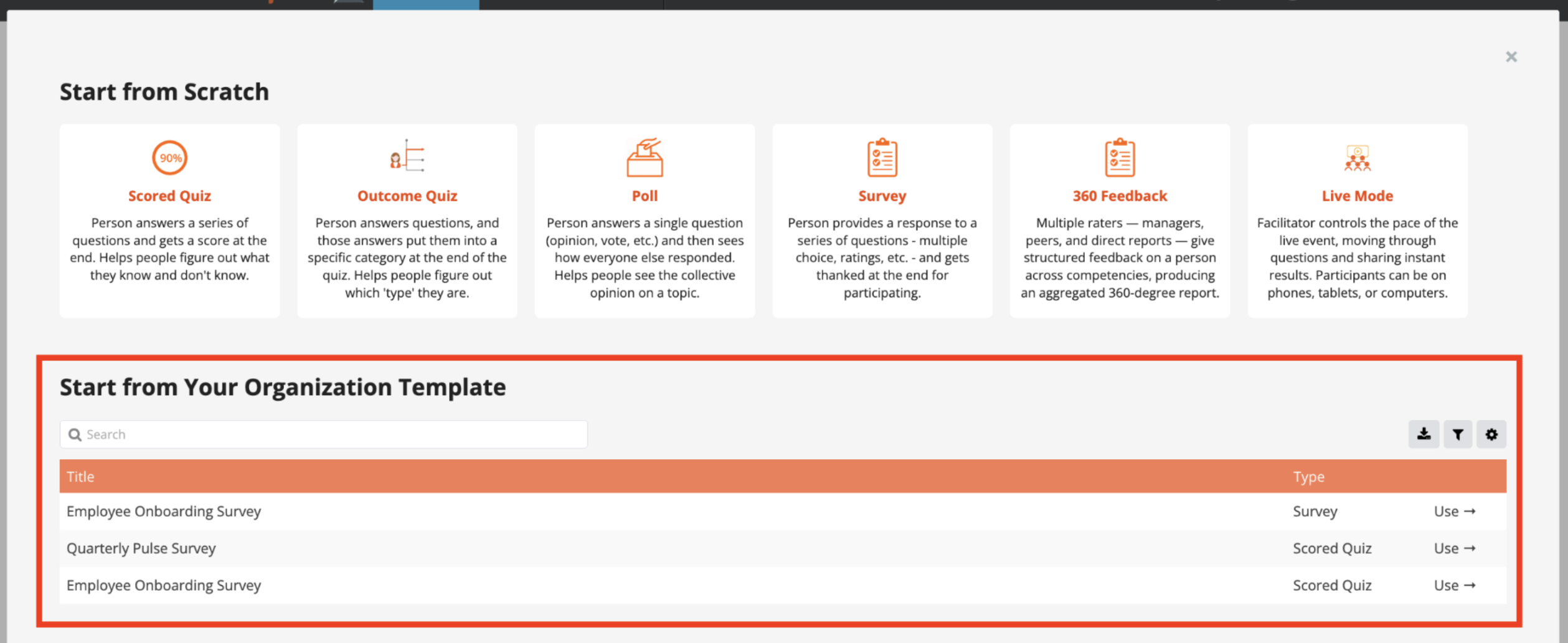
Learn more in this Knowledge Base article.
Availability: Enterprise, Premier, Ultimate, CredSpark+, Verint Commercial, Omeda
Preview Display & Skip Logic
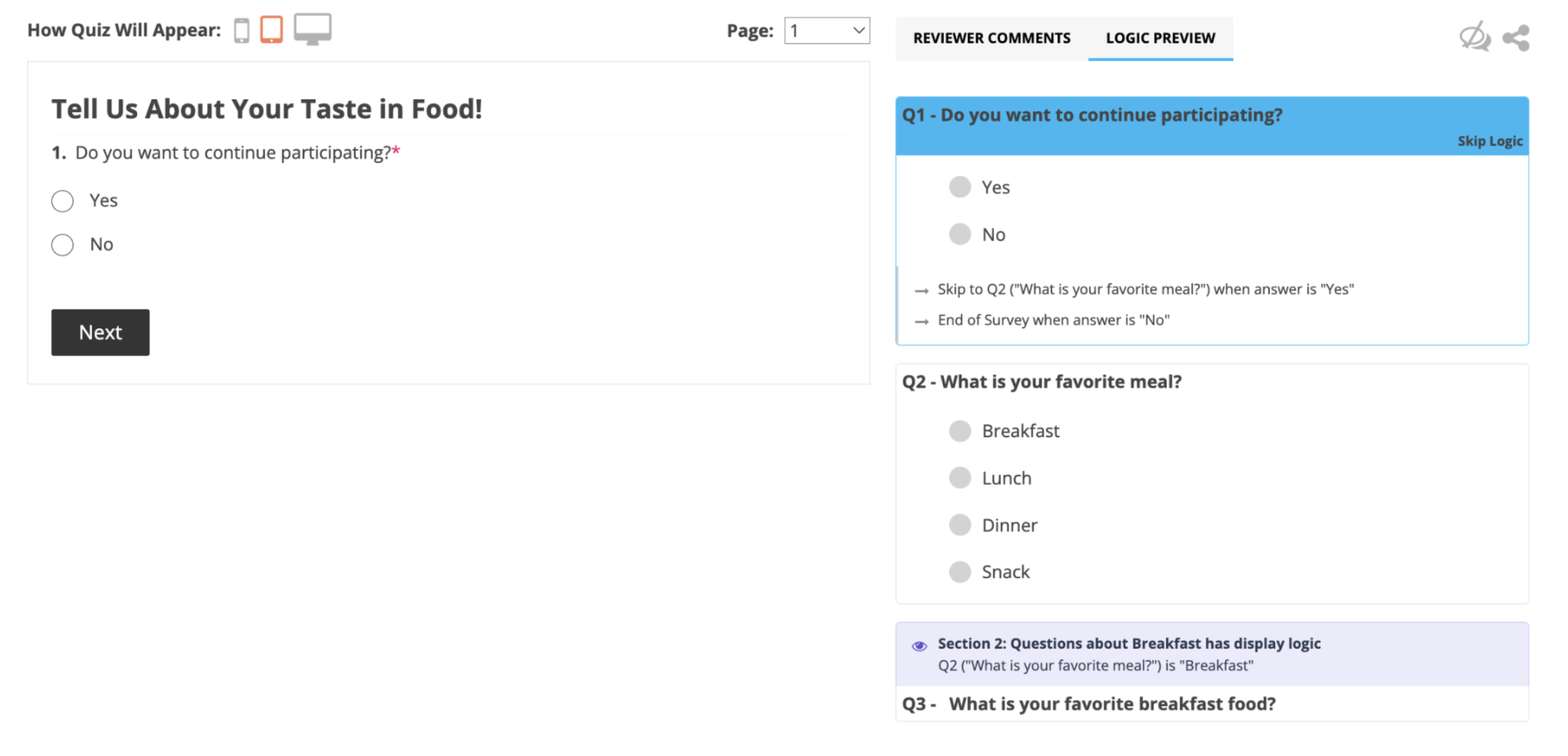
The way your quiz or survey looks and behaves is important, which is why Preview lets you check the participant experience before sharing your interaction.
You can preview Display & Skip Logic, allowing you to test not only your content and design, but also how participants will move through the interaction based on their answers.
Availability: Ultimate, CredSpark+, Verint Commercial, Omeda
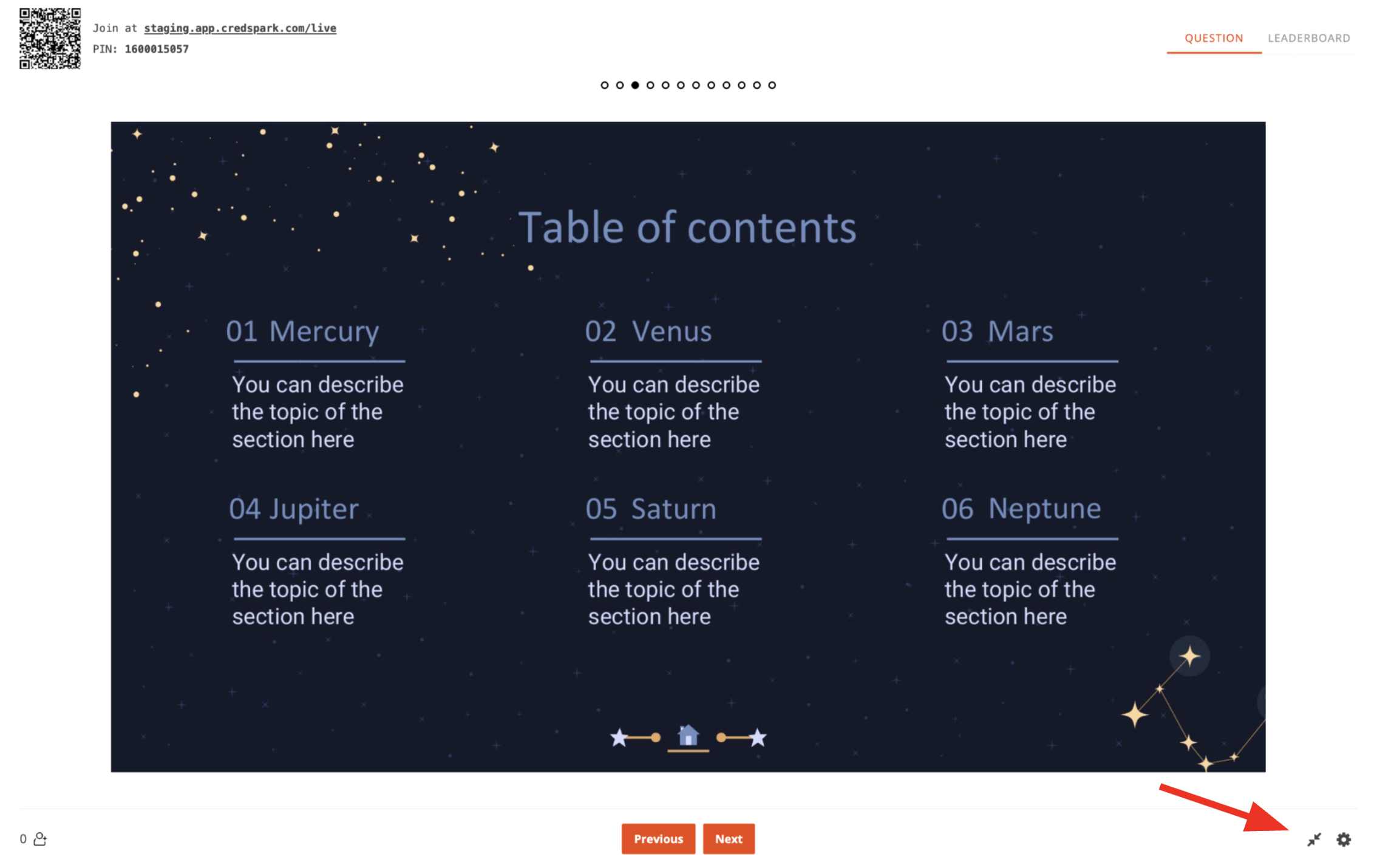
Present Live Mode in Full Screen
If you use presentation slides in Live Mode, you can now present the Facilitator Screen in Full Screen Mode. We recommend using Full Screen Mode when presenting slides, as it gives participants the best viewing experience.
Remember you can also quickly turn an existing presentation into an interactive experience by importing a PowerPoint or PDF to an interaction and then adding questions between the slides.
Presentation import is now also available for Scored Quizzes, Surveys, and Outcome Quizzes, so you can use existing presentation content alongside questions in other interaction types as well.
Learn more about importing a presentation in this Knowledge Base article.
Availability: All license tiers
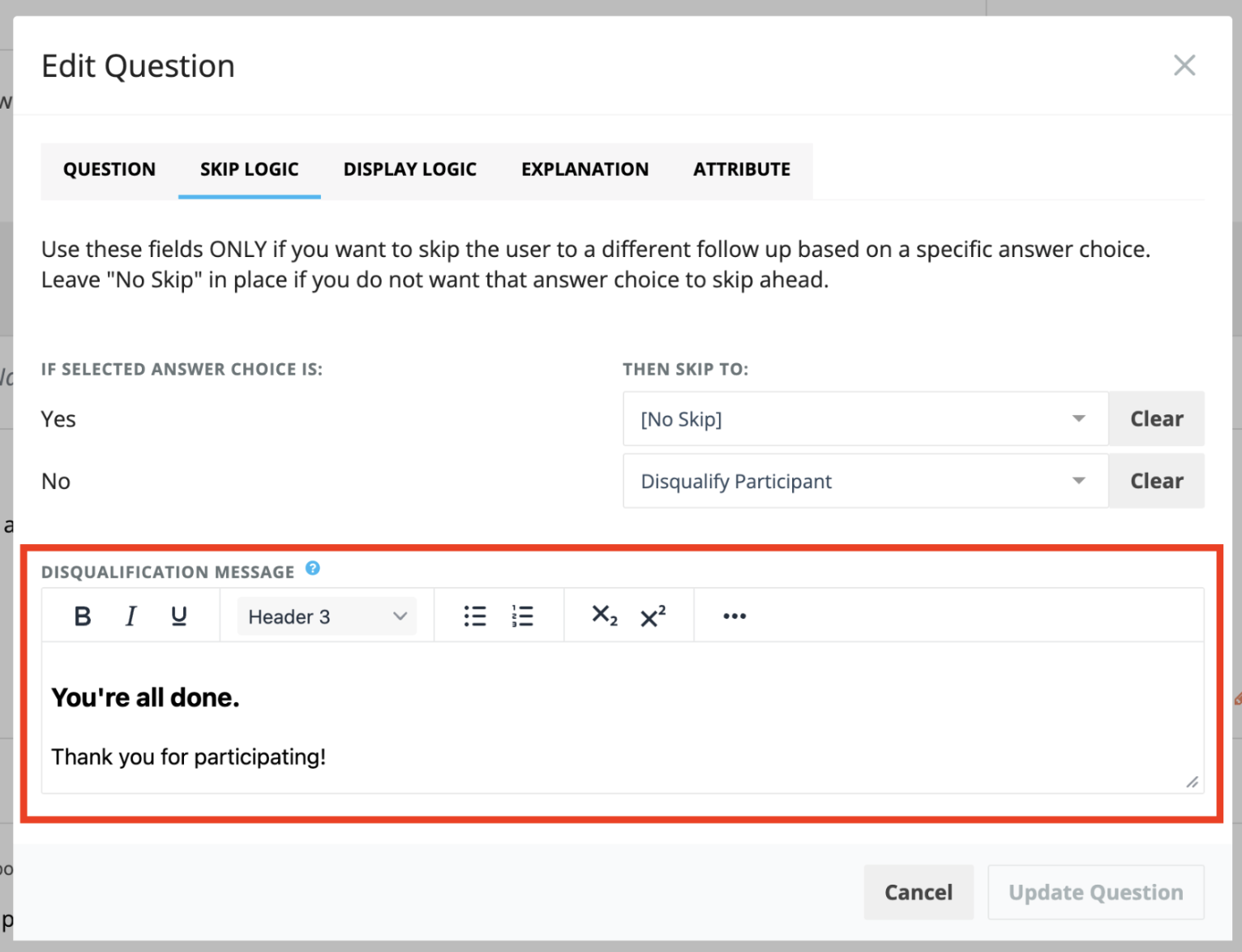
Customize Disqualification Message
You can now customize the message shown to participants who are disqualified from an interaction through Skip Logic.
This lets you control what participants see after they are disqualified and provide any additional context they may need.
360 Feedback: Reminder Emails
360 Feedback helps you gather feedback about an individual from multiple stakeholders, giving them and their organization a broader view of their strengths and development opportunities.
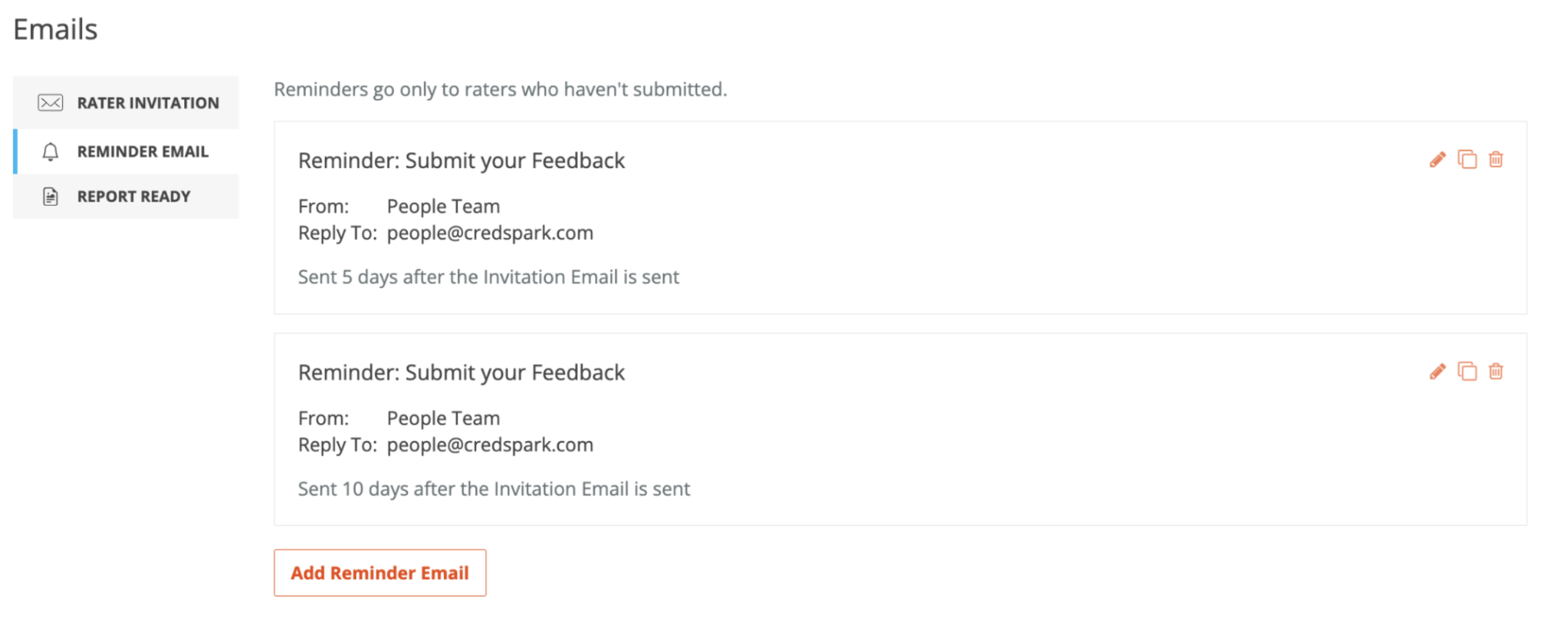
As we continue developing the feature, our early testers can now also add Reminder Emails to follow up with raters who have not yet completed their feedback.
360 Feedback is still in development, but if you would like to join our early testers and get a first-hand look, reach out to us at support@credspark.com.